This is part of the LoRa/LoRaWAN Tutorial Series.
LoRaWAN (Long Range Wide Area Network) is a wireless communication protocol designed for Internet of Things (IoT) devices that need to send small amounts of data over long distances while consuming minimal power. This guide will walk you through the fundamental concepts of LoRaWAN technology.
Understanding LoRaWAN RSSI & SNR Strengths
The Received Signal Strength Indication (RSSI) is the received signal power in milliwatts and is measured in dBm. This value can be used as a measurement of how well a receiver can "hear" a signal from a sender.
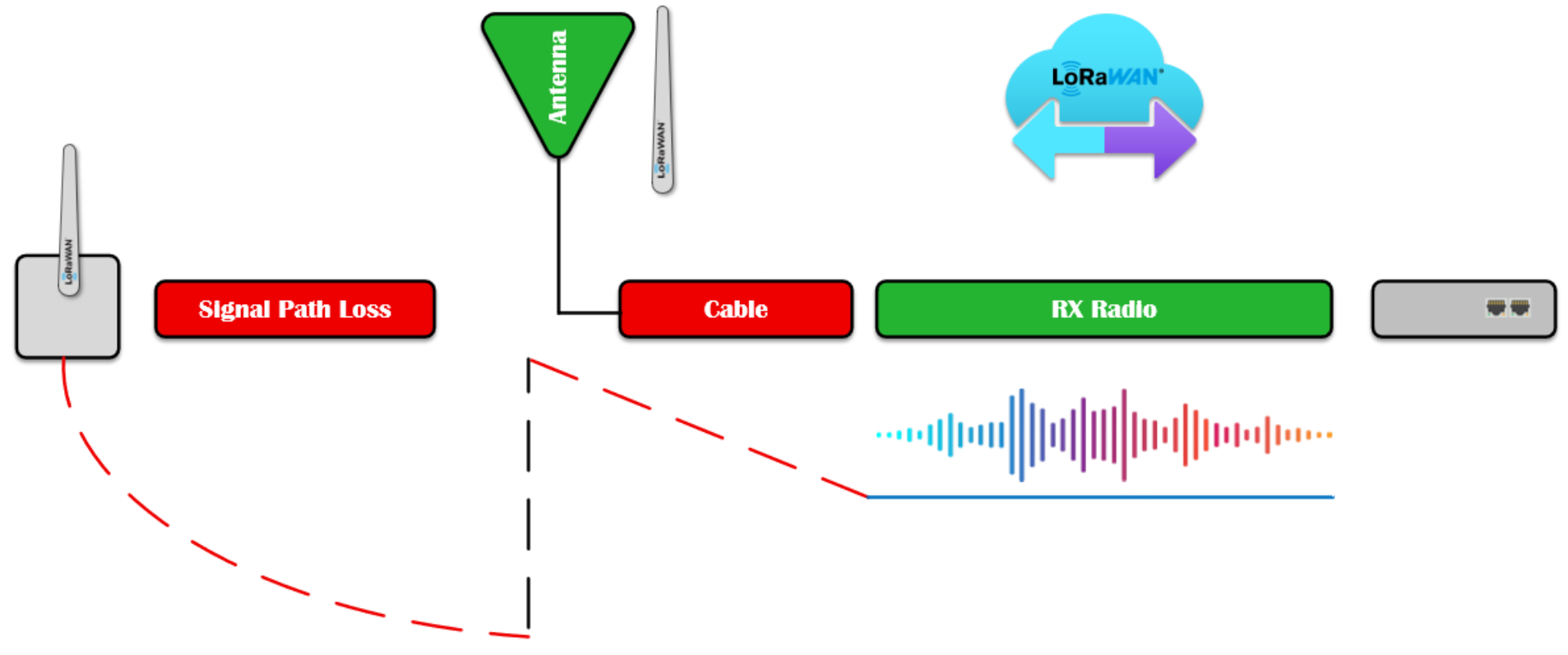
The RSSI is measured in dBm and is a negative value. The closer to 0 the better the signal is.
Typical LoRa RSSI values are: RSSI minimum = -120 dBm.
If RSSI = -30dBm: The signal is strong | If RSSI = -120dBm: The signal is weak.
Signal-to-Noise Ratio (SNR) is the ratio between the received power signal and the noise floor power level. The noise floor is an area of all unwanted interfering signal sources which can corrupt the transmitted signal and therefore re-transmissions will occur.
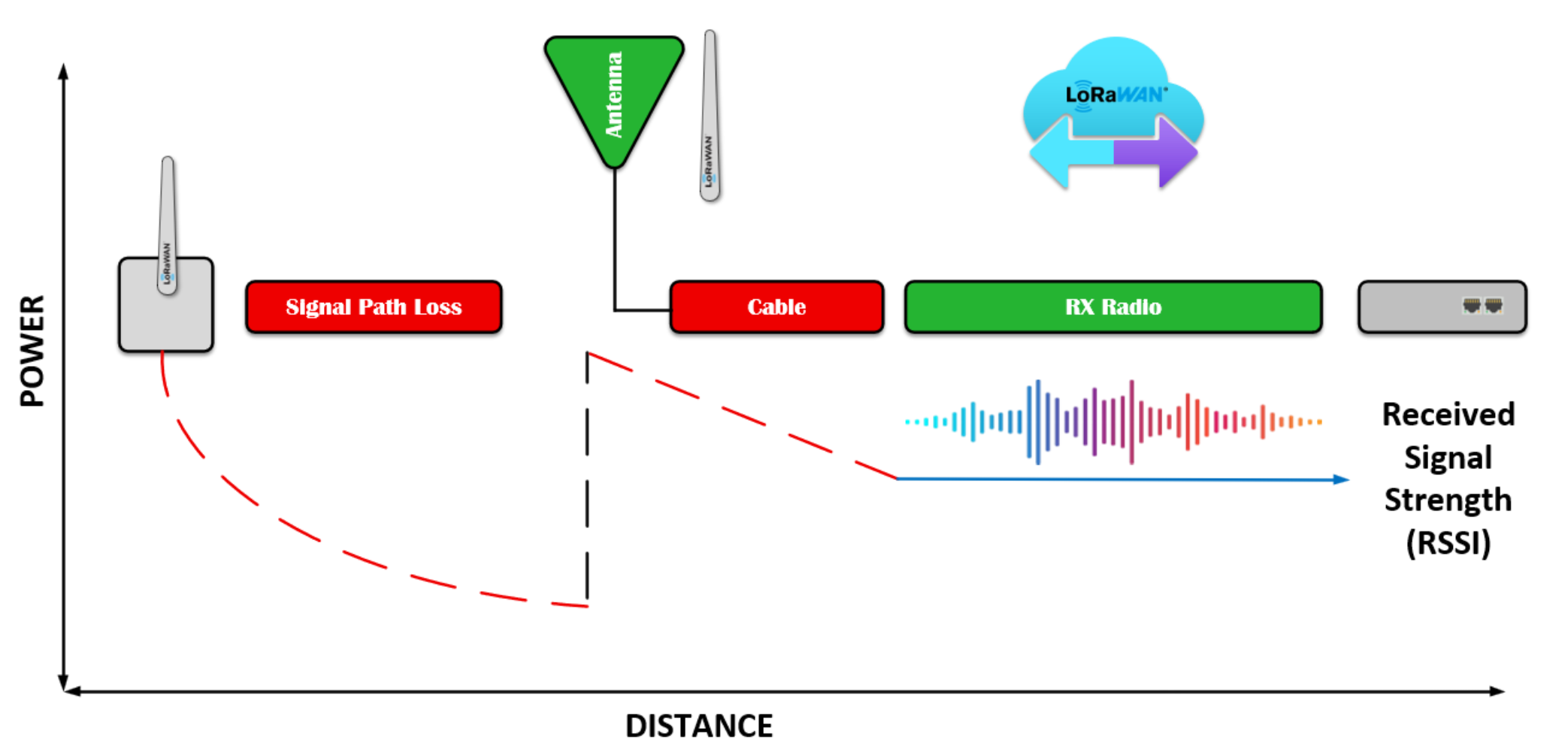
The received signal strength indication or our SSI is the receive signal power in milliwatts and is measured in DBM this value can be used as a measurement of how well a receiver can hear a signal from a sender. The RSSI is measured in dBm and is a negative value. The closer to zero, the better the signal is.
If SNR is greater than 0, the received signal operates above the noise floor.
If SNR is smaller than 0, the received signal operates below the noise floor.
Normally the noise floor is the physical limit of sensitivity, however LoRa works below the noise level.
Typical LoRa SNR values are between: -20dB and +10dB
A value closer to +10dB means the received signal is less corrupted.
LoRa can demodulate signals which are -7.5 dB to -20 dB below the noise floor.
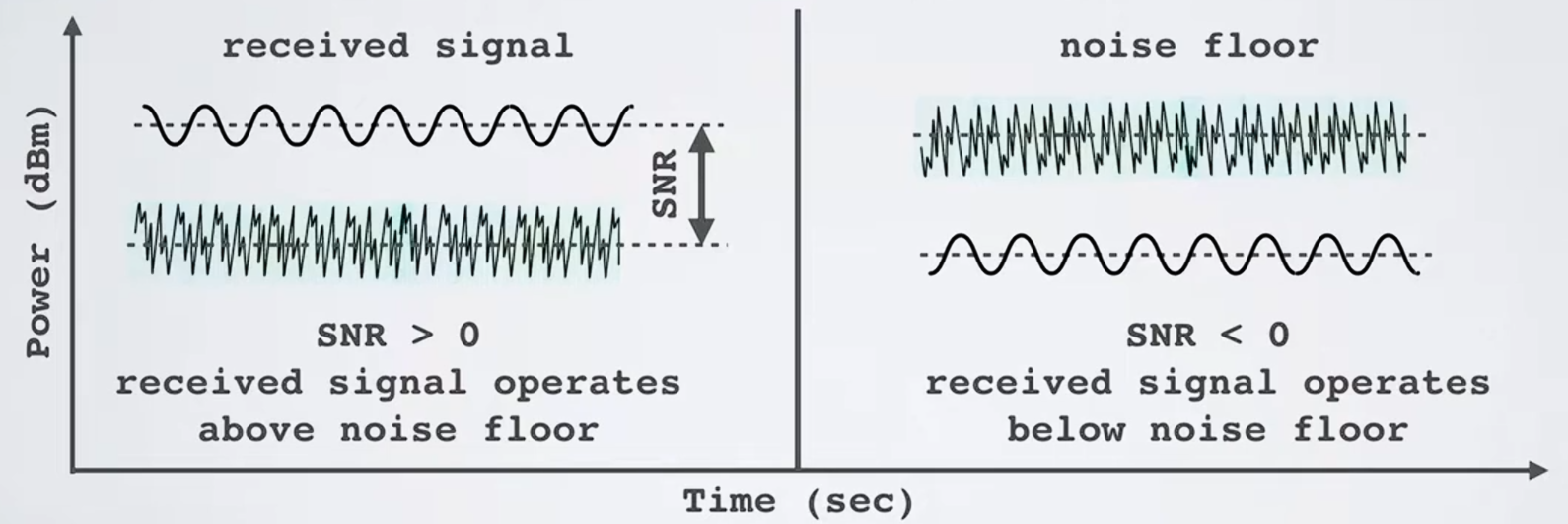
SNR is Signal-Noise-Ratio is the ratio between the received power signal and the noise floor level.
How can we test for this to ensure good connectivity
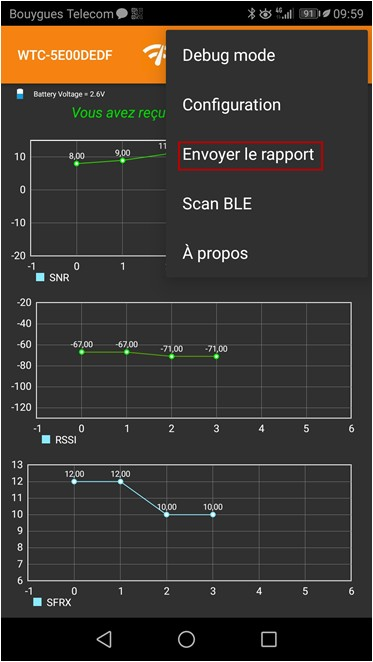
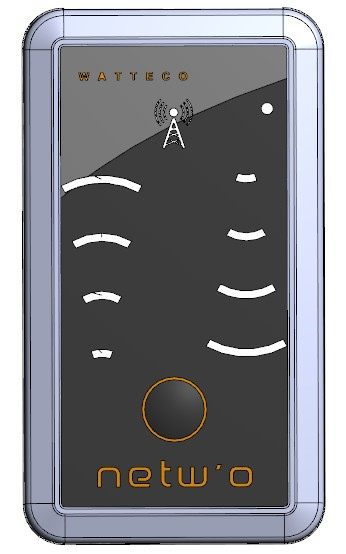
The Netw'o tester is a LoRaWAN signal strength and range tester manufactured by Watteco and is available from the Forest Rock Sales team. It presents very simply by way of LED's the quality of the uplink and downlink signals. It can also be associated with a smartphone via Apple iOS or the Google Play Store for much more detailed reports that can be emailed from the App.
The result of the test with the localisation point, in json or csv, can be shared directly through the smartphone (email, social network,...) The Netw'o can be set on different LoRaWAN servers through different devEUI, and it is possible to easily switch from one network to another.
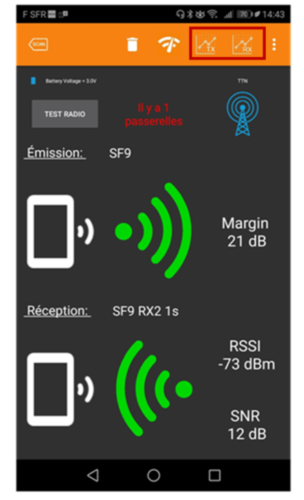
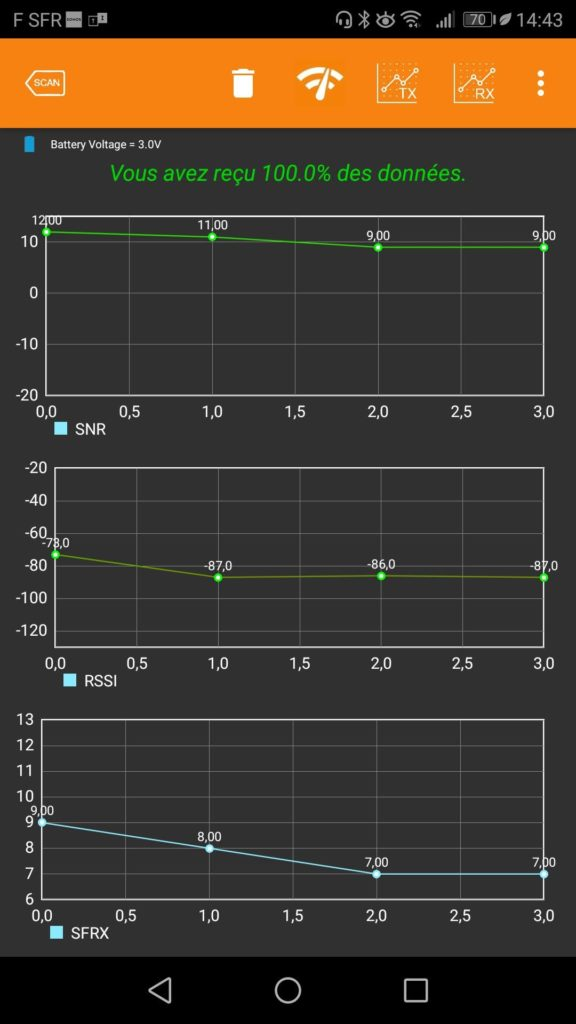
After each signal request the following window is refreshed on the App and this mimic's the LED’s on the front of the tester. Clicking the Graph icons boxed below in Red displays further info over a time base providing: RX graph: SNR, RSSI and SF of the Downlink.
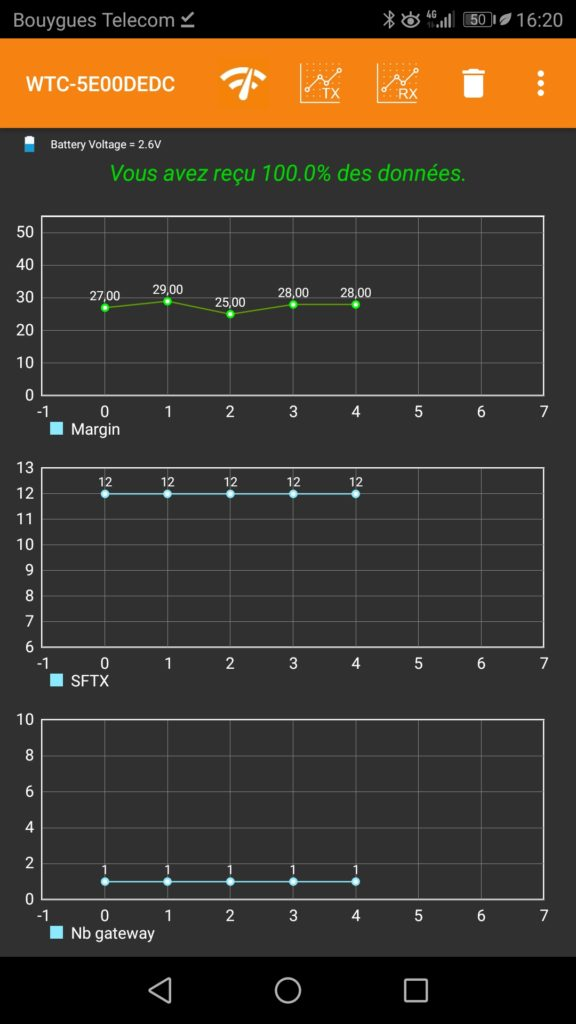
The TX graph: Margin, SF of the Uplink, Number of Gateways.
Click On Test Radio to launch a new burst of Uplink with the selected argument:
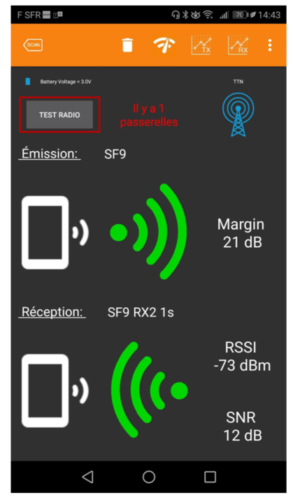
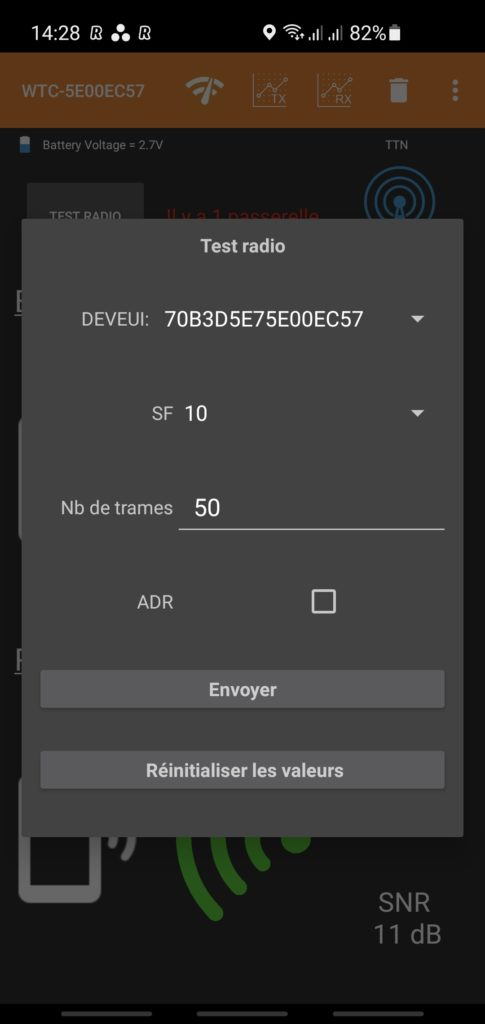
To change the LoRaWAN server, you can select another devEUI. Directly the Netw'o try to associate to the new LoRaWAN server on which the selected devEUI is configured. Click on "...", then select "Send the report" to share a csv or json file with all datas embedding location, timestamp, rssi, snr,...