

Article Type: Knowledge Base
Product: Wattsense Tower / Wattsense Bridge
Last Updated: July 2026
Overview
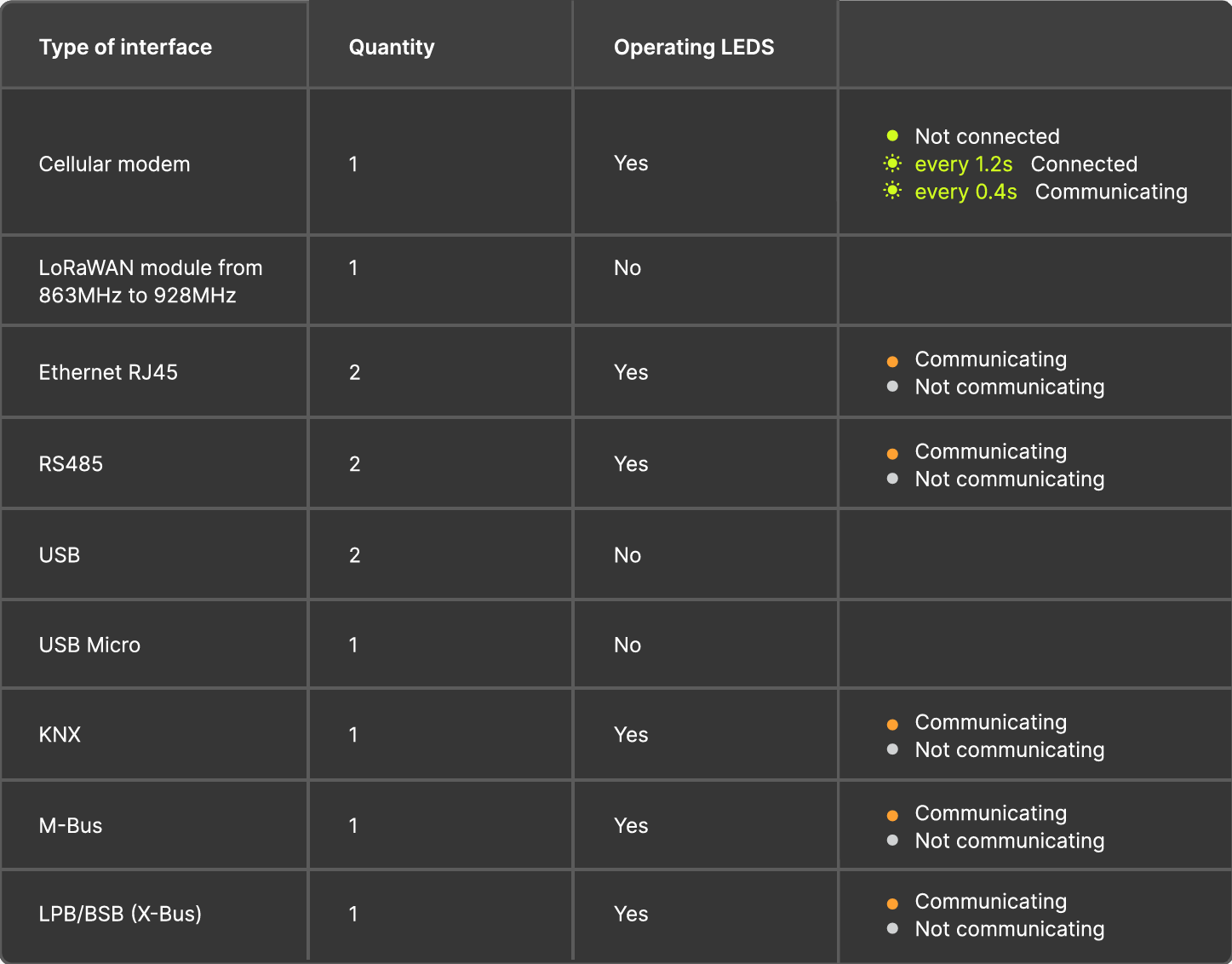
The Wattsense Tower and Wattsense Bridge include a series of status LEDs that provide a quick visual indication of device operation, communication activity, and connectivity status.
This article explains what each LED indicates and how to interpret normal and abnormal behaviour.
LED Location
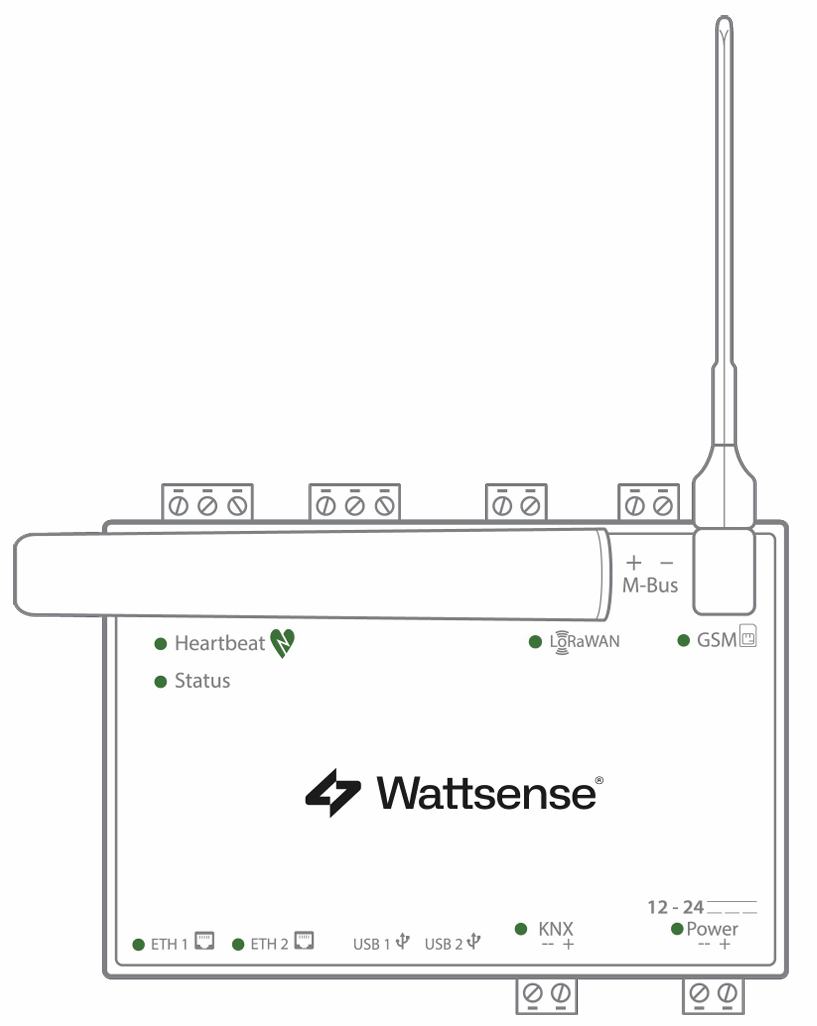
The Wattsense device features dedicated LEDs for:
-
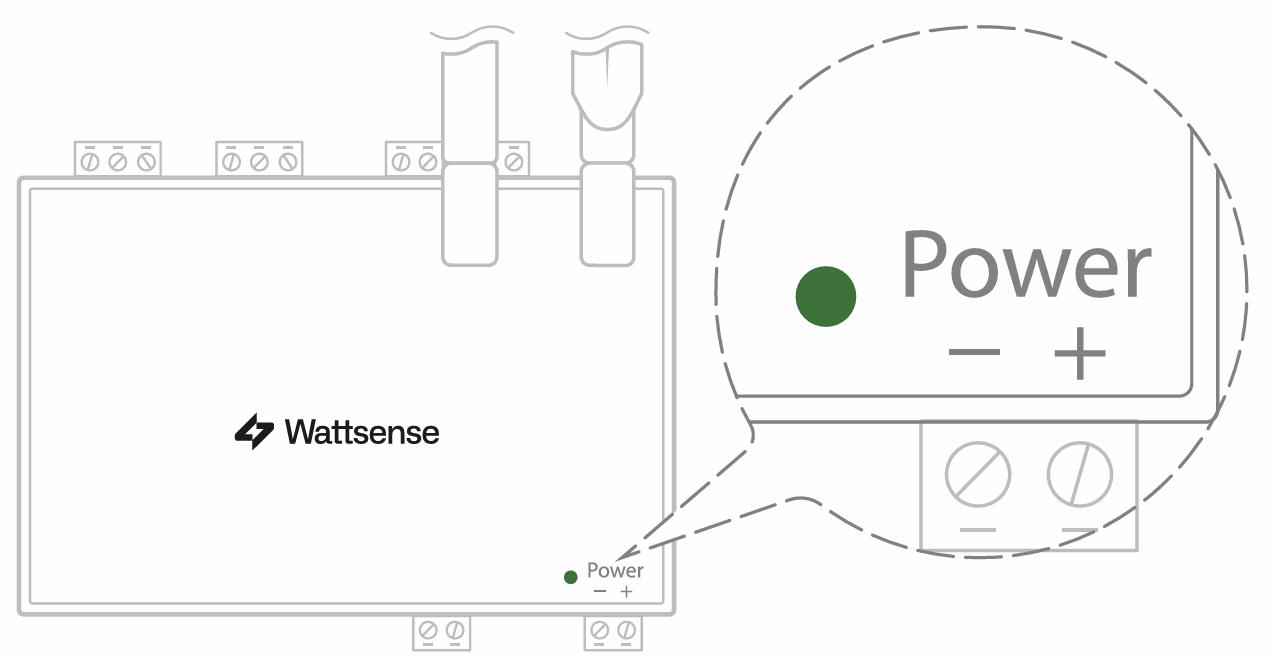
Power Supply
-
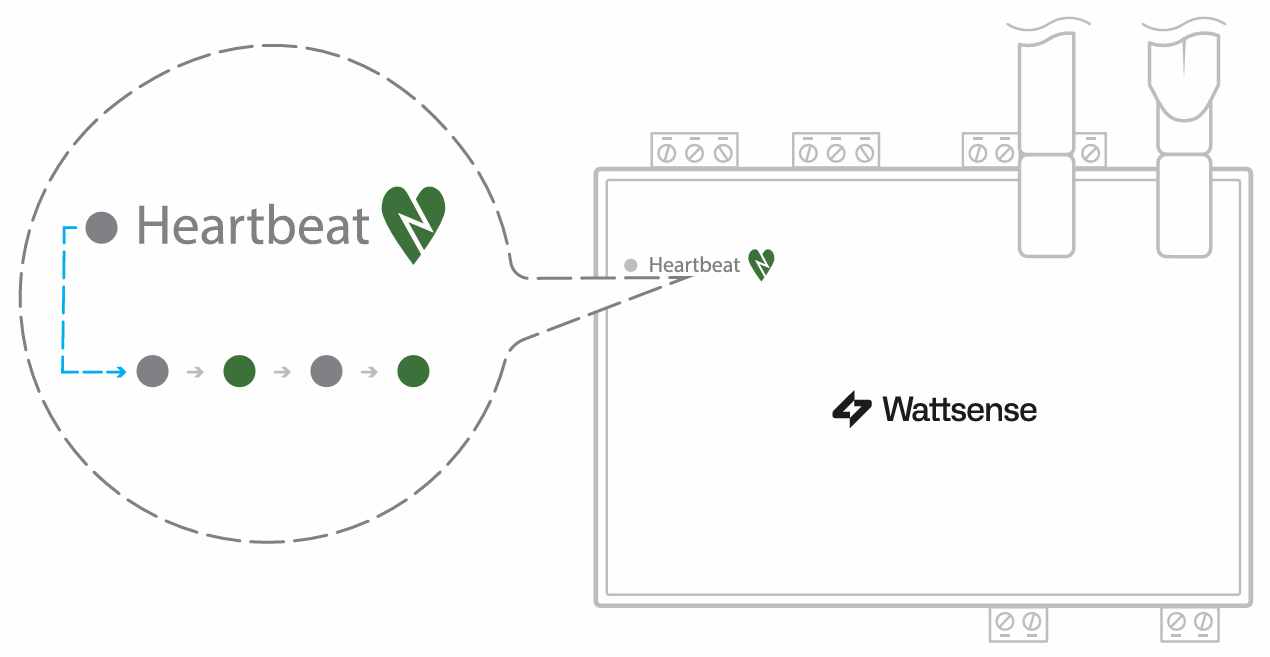
Heartbeat (device health)
-
Ethernet (RJ45)
-
RS485 / Modbus
-
KNX
-
M-Bus
-
LPB (X-Bus)
-
GSM (cellular connectivity)
-
LoRaWAN
LED Status Summary
Other LEDs

Quick Health Check
A Wattsense device can generally be considered healthy when:
✅ Power LED is illuminated
✅ Heartbeat LED is blinking
✅ Communication LEDs flash when traffic is present
✅ GSM LED is blinking (if cellular communications are being used)
The LoRaWAN LED remaining OFF is expected behaviour and does not indicate a fault.
Additional Information
If the Power LED is OFF or the Heartbeat LED is not flashing after startup, verify:
-
Power supply voltage and wiring.
-
Network and field bus connections.
-
Device startup status through the Wattsense portal.
-
Cellular signal availability (for GSM-enabled installations).
If problems persist, contact Forest Rock Technical Support with the device serial number and details of the observed LED states.