
Your Complete Guide to Understanding RS-485 Communications
By Paul Martin
One of the most common causes of Modbus RTU communication failures is not baud rates, device addresses, or software configuration. It's simply getting the RS-485 connections the wrong way around.
Overview
RS-485 is the most widely used physical layer for Modbus RTU communications, connecting everything from energy meters and HVAC controllers to gateways, sensors, and BMS field devices.
Although the wiring itself is simple, manufacturers often use different naming conventions for the same RS-485 signals. A device labelled A/B by one vendor may connect to +/− terminals on another. This frequently leads to working installations that refuse to communicate because the data pair has been wired with reversed polarity.
Before spending time troubleshooting software, network settings, or protocol configuration, always verify the physical RS-485 connections.
Understanding RS-485 Naming Conventions
The same RS-485 signal pair may be labelled in several different ways:
|
Manufacturer Label |
Alternative Label |
Common Interpretation |
|---|---|---|
|
A / B |
+ / − |
Data Pair |
|
D+ / D− |
+ / − |
Data Pair |
|
TX+/TX− |
+ / − |
Data Pair |
|
485+ / 485− |
+ / − |
Data Pair |
Unfortunately, there is no universally applied convention across all manufacturers.
As a result:
-
Device A may connect to +
-
Device B may connect to −
-
Another vendor may use the opposite convention
Always refer to the manufacturer's documentation when available.
Tridium JACE RS-485 Connections
Tridium JACE controllers provide RS-485 connections on their COM ports using the following convention:
COM1
|
JACE Terminal |
Function |
|---|---|
|
A+ |
RS-485 Positive |
|
A− |
RS-485 Negative |
|
S |
Signal/Common Reference |
COM2
|
JACE Terminal |
Function |
|---|---|
|
B+ |
RS-485 Positive |
|
B− |
RS-485 Negative |
|
S |
Signal/Common Reference |
Example: Enless LoRa Gateway Connection to a JACE
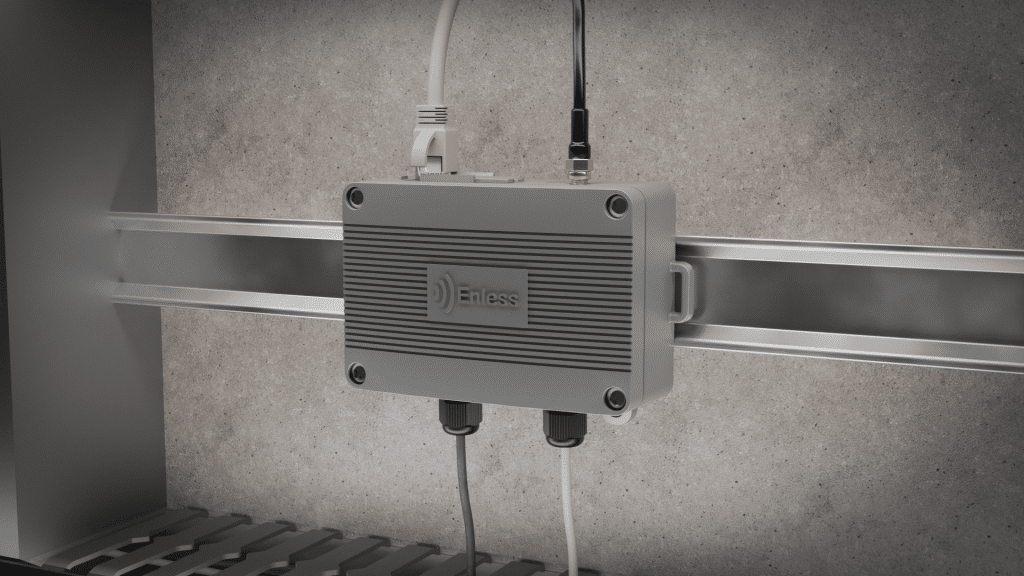
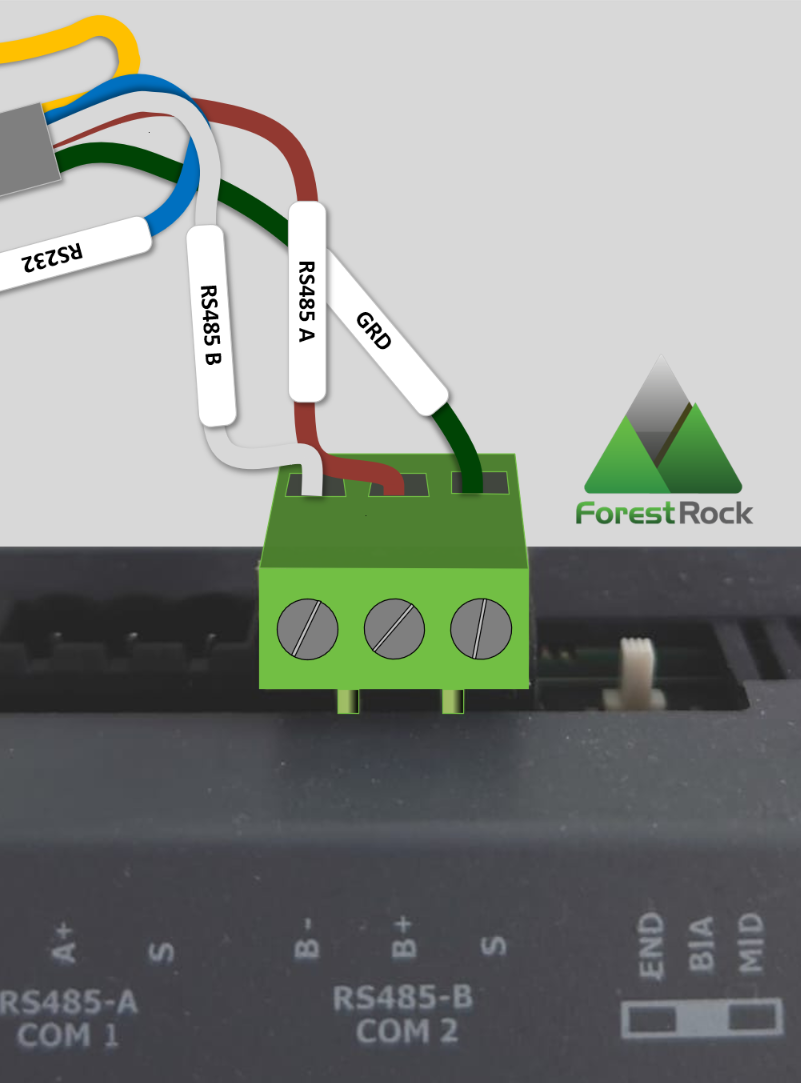
The following wiring should be used when connecting an Enless LoRa Gateway directly to a JACE COM port.
|
Enless LoRa Gateway |
JACE COM Port |
|---|---|
|
GND |
S |
|
RS485 A |
A+ (COM1) or B+ (COM2) |
|
RS485 B |
A− (COM1) or B− (COM2) |
Wiring Diagram
Common Installation Checks
When commissioning any RS-485 network, verify the following:
Physical Wiring
-
Correct polarity of the RS-485 pair.
-
Good terminal connections.
-
No breaks in the cable.
-
Correct cable type is being used.
Network Configuration
-
Matching baud rate.
-
Matching parity setting.
-
Matching stop bits.
-
Correct device address.
Network Design
-
Daisy-chain topology is used where possible.
-
Network length is within specification.
-
Appropriate termination resistors are fitted where required.
-
Excessive cable stubs are avoided.
Troubleshooting Tip
"No Response" Usually Means Check the Wires First
If a Modbus device appears powered up but Niagara reports timeouts or receives no data:
-
Verify the device address.
-
Verify baud rate and serial settings.
-
Check RS-485 polarity.
-
Swap the A and B conductors if documentation is unclear.
Many communication issues are resolved simply by reversing the RS-485 data pair.
Key Takeaway
When an RS-485 device won't communicate with a JACE, start with the simplest check first: are the positive and negative data conductors connected correctly?
Because manufacturers use different naming conventions for RS-485 terminals, a wiring pair that appears correct at first glance may actually be reversed. Spending thirty seconds verifying polarity can often save hours of unnecessary troubleshooting.
Forest Rock Recommendation: Before investigating Niagara configuration, drivers, or Modbus registers, always confirm the RS-485 wiring and terminal labelling on both devices. Physical layer issues remain one of the most common causes of Modbus communication failures.
Need More Help?

Other Resources & Customer Survey:
💬 Don't miss out! Follow the Forest Rock News channel on WhatsApp Click Here!
💬 We’d also love your feedback! Please take a moment to complete our quick Customer Survey
It only takes a minute and helps us serve you better!
