

Author: Paul Martin
Overview
The Teltonika RUT955 includes an integrated RS485 serial interface that supports Modbus RTU and other RS485-based communication protocols. This article explains how to connect the router to both 2-wire and 4-wire RS485 networks and when to apply bus termination.
RS485 Connector Location
The RS485 connector is located next to the Ethernet ports on the rear of the RUT955.
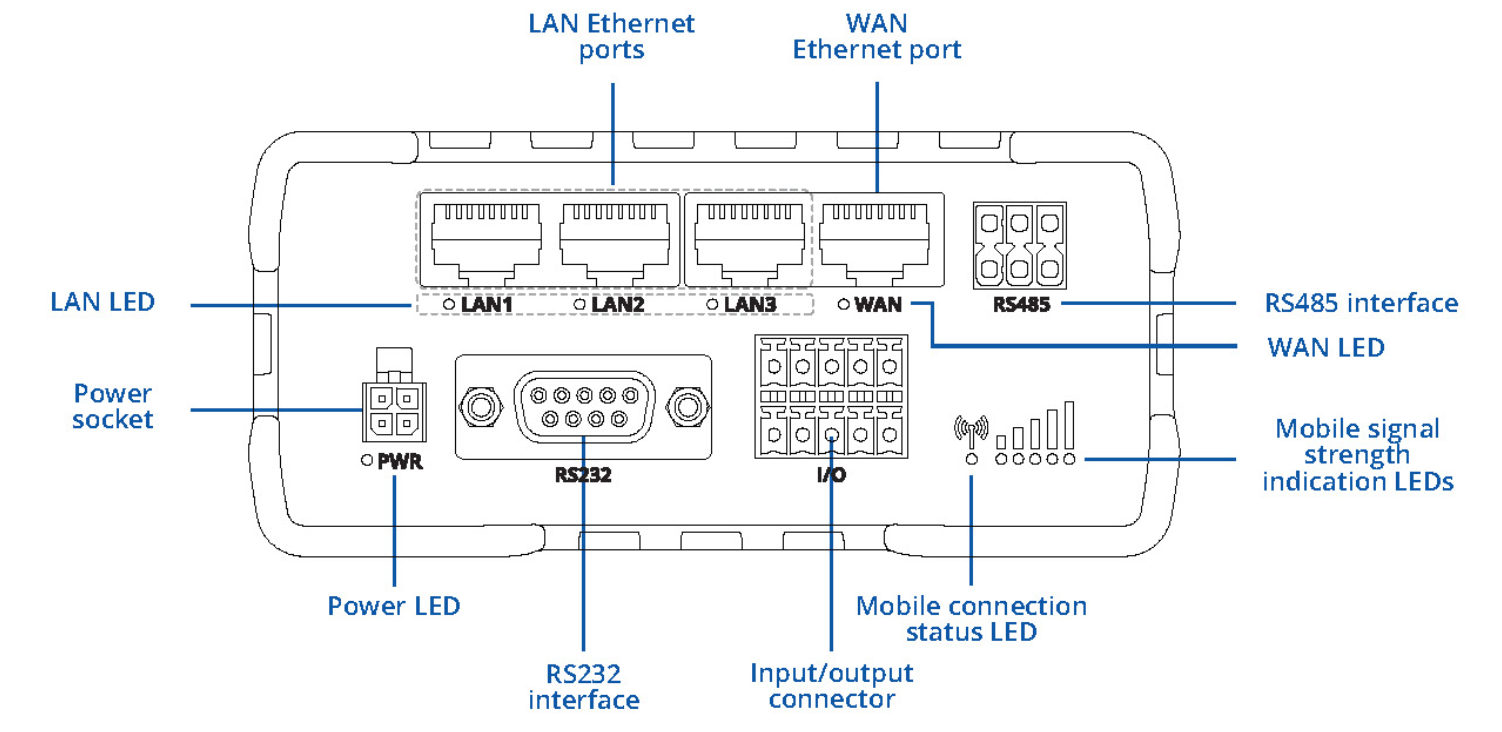
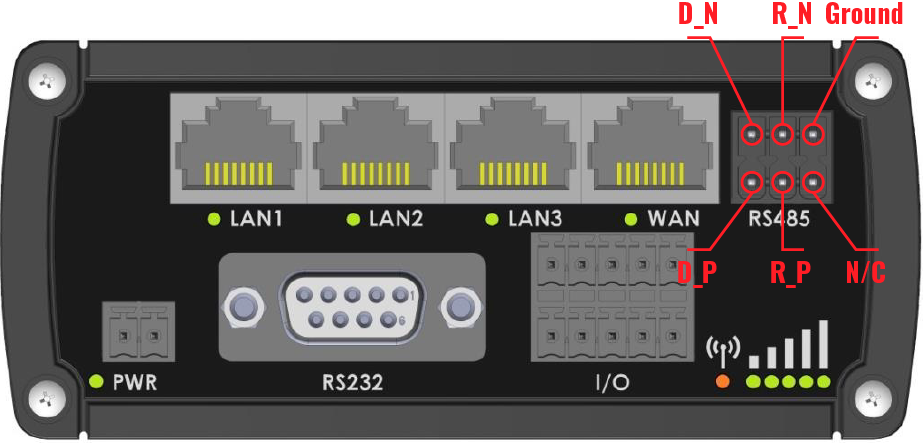
RS485 Connector Pinout
The RUT955 supports both 4-wire and 2-wire RS485 operation.
|
Pin |
Description |
|---|---|
|
D_P |
Driver Positive (TX+) |
|
D_N |
Driver Negative (TX-) |
|
R_P |
Receiver Positive (RX+) |
|
R_N |
Receiver Negative (RX-) |
|
GND |
Signal Ground |
Wiring a 3-Wire RS485 Network
Most Modbus RTU installations use a 2-wire RS485 network with a common signal ground, resulting in three conductors:
-
RS485 +
-
RS485 -
-
GND
Because the RUT955 provides separate transmit and receive terminals, these must be bridged together before connecting to a standard 2-wire RS485 network.
Required Bridging
Install the following links:
-
D_P to R_P
-
D_N to R_N
This creates a single positive and negative connection point for the RS485 network.
Connection Example
|
RUT955 |
Network |
|---|---|
|
D_P + R_P |
RS485 + |
|
D_N + R_N |
RS485 - |
|
GND |
GND |
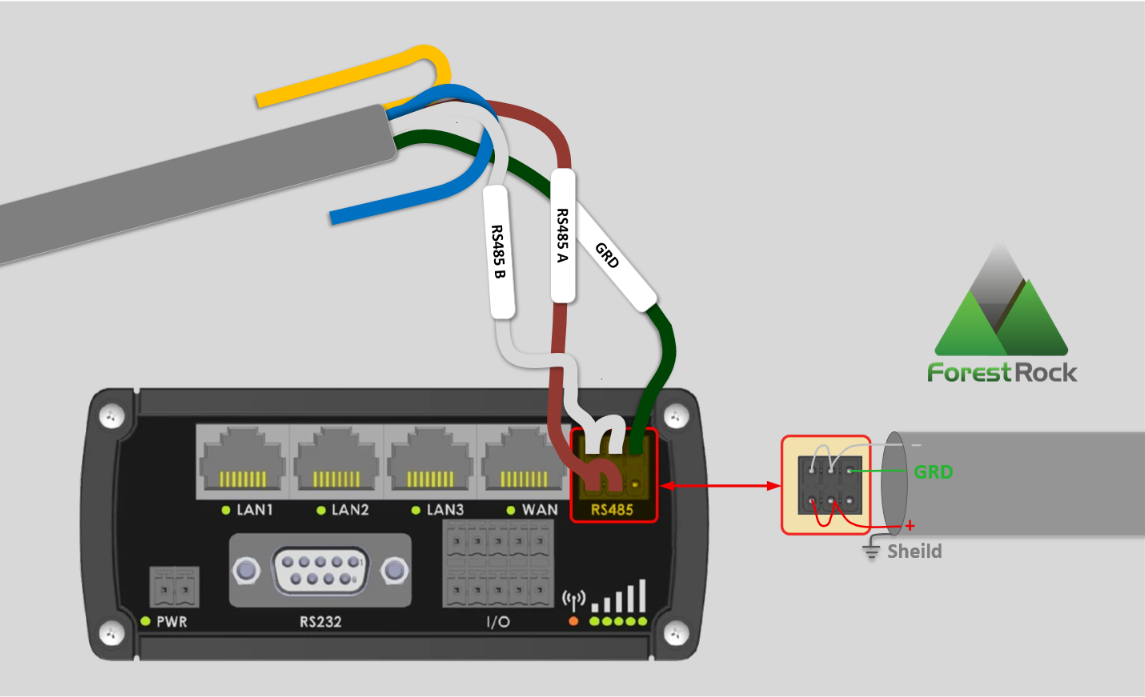
The signal ground connection is recommended where equipment is powered from different supplies or where longer cable runs are used.
4-Wire RS485 Connections
The RUT955 can also be used on a full 4-wire RS485 network.
In this arrangement:
-
D_P and D_N are used for transmit.
-
R_P and R_N are used for receive.
-
No bridging links are installed.
2-Wire and 4-Wire Networks
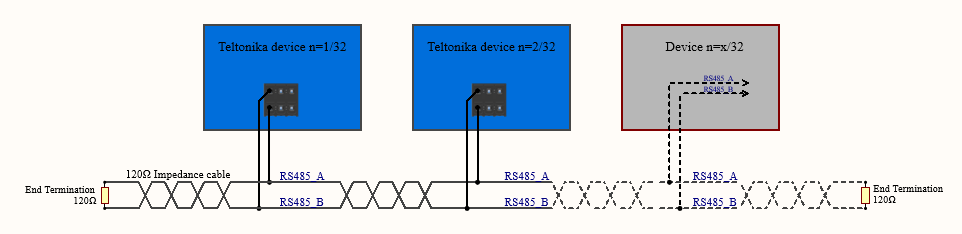
Below is an example of a 4-wire network electrical connection. There are 3 devices shown in the example. One of the devices is the “master” and other two are “slaves”. Termination resistors are placed at each cable end. Four-wire networks consists of one „master“ with its transmitter connected to each of the “slaves‘” receivers on one twisted pair. The “slave” transmitters are all connected to the “master” receiver on a second twisted pair.
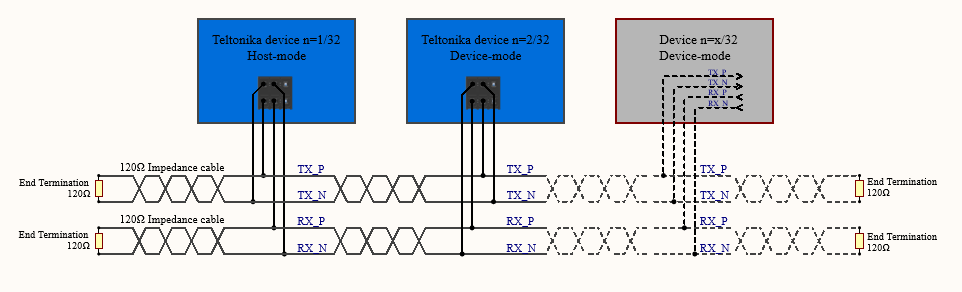
Example 2-wire network electrical connection: to enable a 2-wire RS-485 configuration on a Teltonika router, you need to connect D_P to R_P and D_N to R_N on the device’s RS-485 socket. Termination resistors are placed at each cable end.
RS485 Termination
A termination resistor should be fitted when the RUT955 is located at either physical end of the RS485 trunk.
Internal Termination Resistor
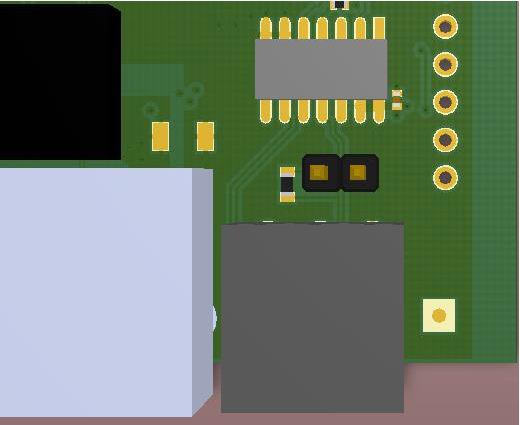
The RUT955 includes an onboard 120 Ω termination resistor that can be enabled using the PCB jumper shown below.
When to Enable Termination
Enable termination when:
-
The RUT955 is positioned at the start of the RS485 segment.
-
The RUT955 is positioned at the end of the RS485 segment.
When to Disable Termination
Disable termination when:
-
The RUT955 is located in the middle of the RS485 network.
-
Other devices exist beyond the router on both sides of the bus.
Only the two devices at the physical ends of an RS485 trunk should be terminated.
RS485 Network Best Practice
For guidance on cable selection, shielding, grounding, network topology and commissioning, refer to:
Related Article:
How to Wire RS485 Networks Correctly
Summary
To connect a Teltonika RUT955 to a standard 3-wire Modbus RTU network:
-
Link D_P to R_P.
-
Link D_N to R_N.
-
Connect the bridged positive terminals to RS485+.
-
Connect the bridged negative terminals to RS485−.
-
Connect signal ground where required.
-
Enable the 120 Ω termination resistor only when the router is installed at either end of the RS485 bus.

External Links and Resources:
Passive Power over Ethernet (PoE) - Teltonika Networks Wiki
This article will be updated over time to reflect new suggestions and features with the RUTxxx Hardware