

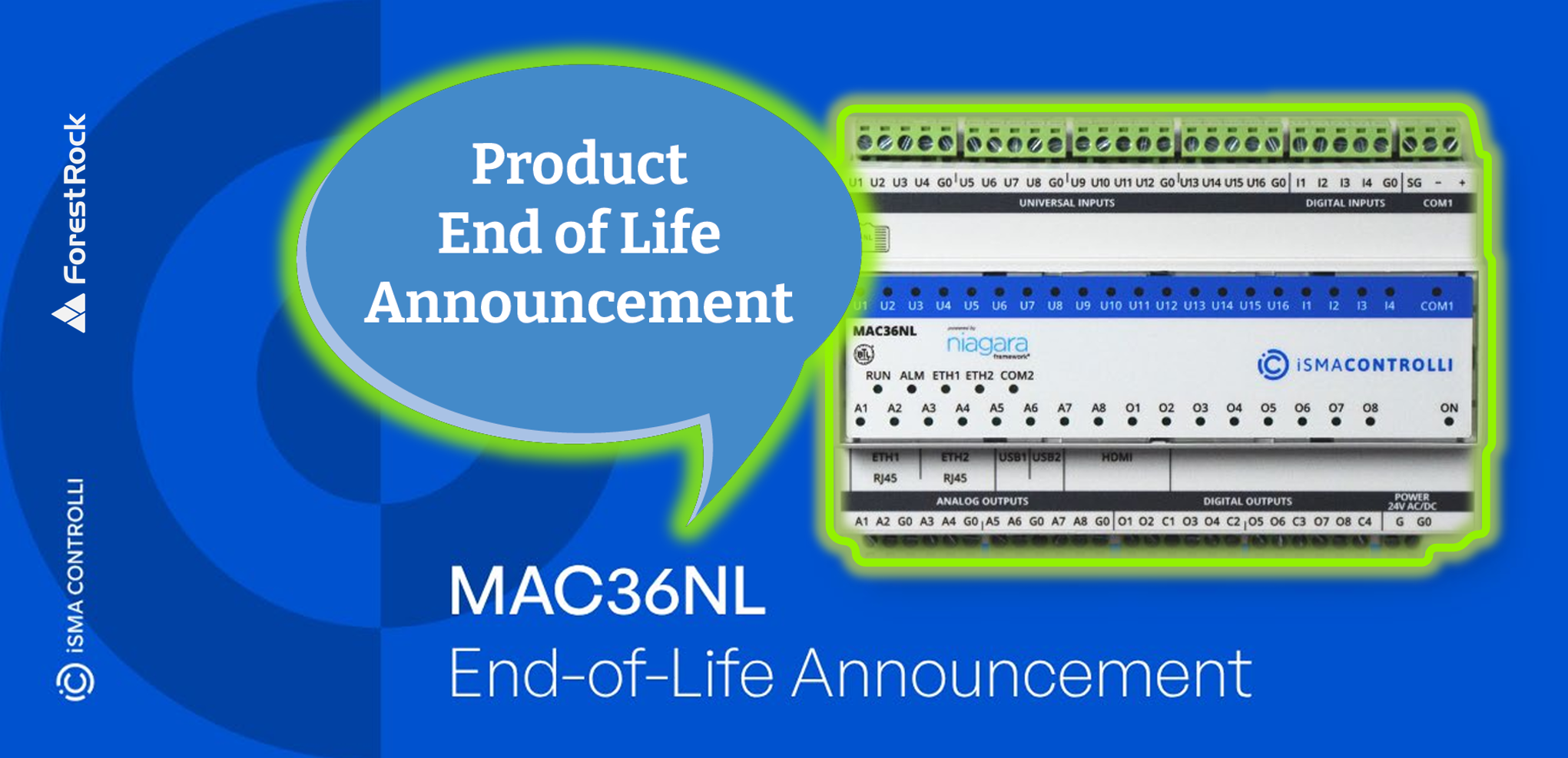
Why is MAC36NL being phased out?
To ensure long-term platform support in upcoming projects, future transition to Niagara 5 and due to availability of its successor MAC36PRO. MAC36PRO is the recommended replacement for MAC36NL and provides a straightforward migration path for existing installations and new projects.
What product replaces MAC36NL?
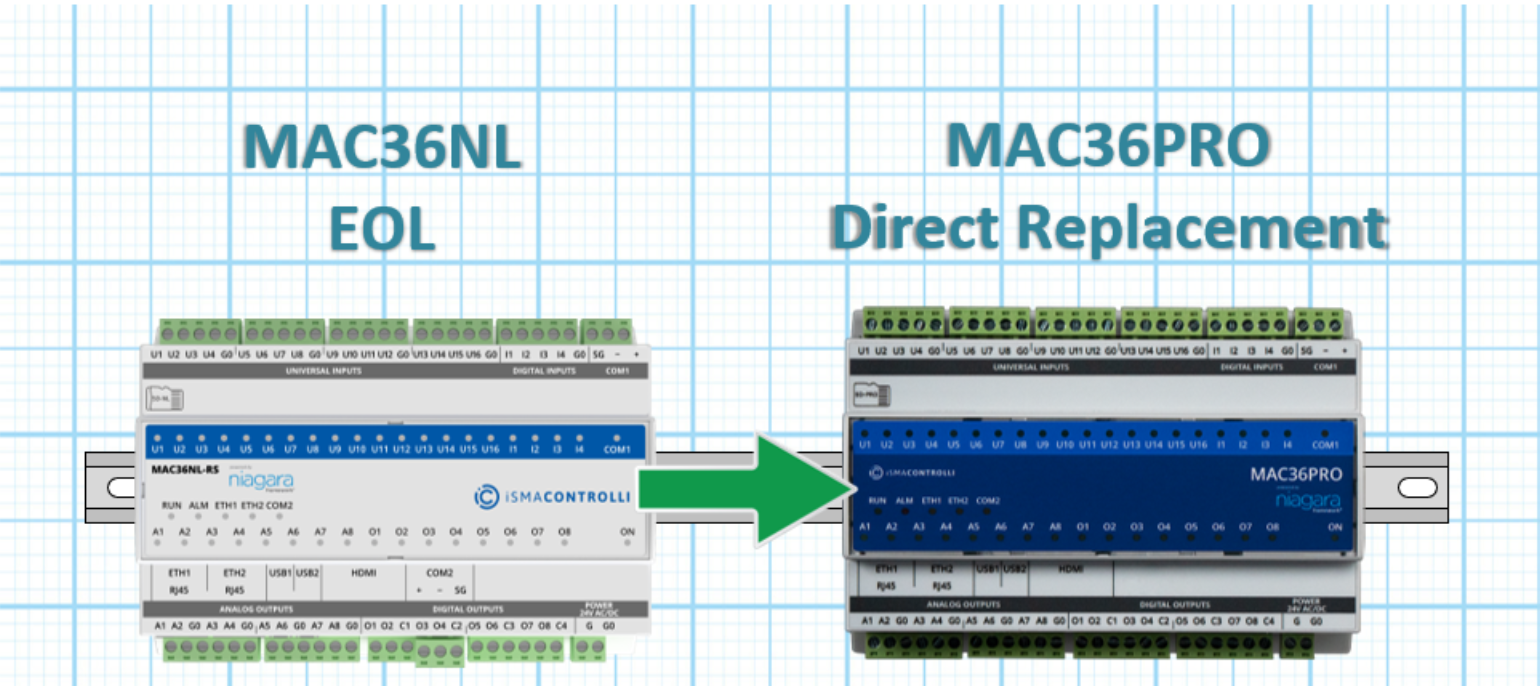
MAC36PRO is the direct successor and is designed to ensure an easy transition. I has the same form factor, I/O configuration, interfaces, and licensing model.
Can I replace a MAC36NL directly with a MAC36PRO?
Yes. MAC36PRO is designed as a direct replacement for MAC36NL. Thanks to the Software License Transition Policy, eligible software licenses can be transferred between MAC36NL and MAC36PRO when moving from one controller platform to the other.
What is the Software License Transition Policy?
The software license transition allows license transfers between MAC36NL and MAC36PRO in case of future replacements. For a license migration from MAC36NL to MAC36PRO, the following are required:
-
An active Software Maintenance Agreement (SMA) on the MAC36NL controller.
-
iSMA-B-LIC-CHG-MAC part for the license migration.
-
A new iSMA-B-MAC36PRO.
-
A new iSMA-B-SD-PRO card.
When the Software license transition will be available?
License transfers between MAC36NL and MAC36PRO are available from August 2026. Please contact an official iSMA CONTROLLI partner for details about the applicable process and commercial conditions.
We already purchased a MAC36NL license, but the project will use MAC36PRO instead. Can the license be transferred?
Yes, the Software License Transition Policy provides a mechanism for transferring eligible licenses between MAC36NL and MAC36PRO. In most scenarios only iSMA-B-LIC-CHG MAC part will be required to transfer the license to MAC36PRO model.
What is Last Time Buy (LTB)?
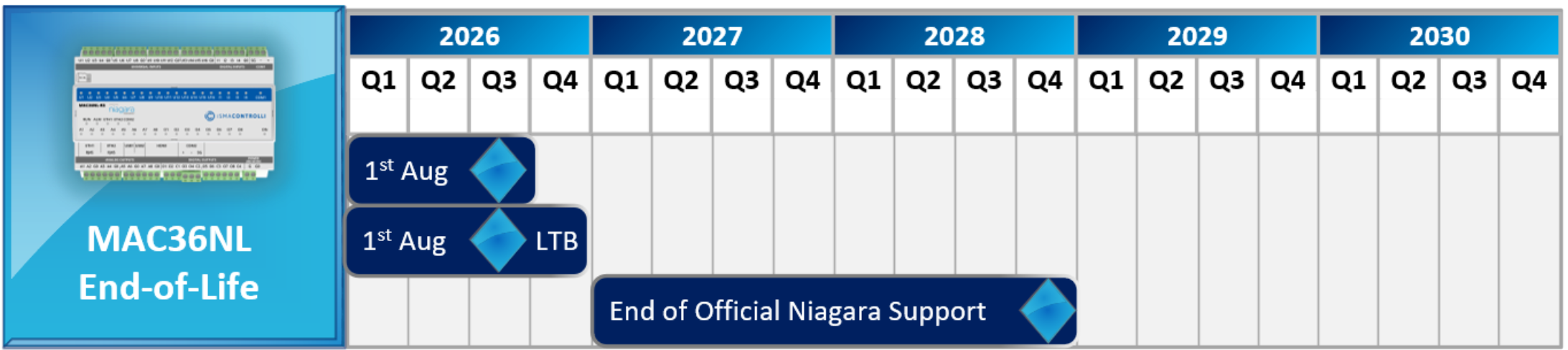
It is the final period to place orders for MAC36NL before hardware discontinuation. During this period, pricing will be aligned with MAC36PRO. The LTB phase starts on 1 August 2026 and will run until 31 December 2026, or while stock lasts.
Timeline:
Key Dates and Lifecycle Milestones
-
1 August 2026 – Software License Transition Policy becomes effective
-
1 August – 31 December 2026 – Last Time Buy (LTB) period (while stock lasts)
-
31 December 2028 – End of official Niagara 4 software support
During the LTB period, MAC36NL pricing will be aligned with MAC36PRO.
MAC36NL → MAC36PRO
End-of-Life Replacement Overview
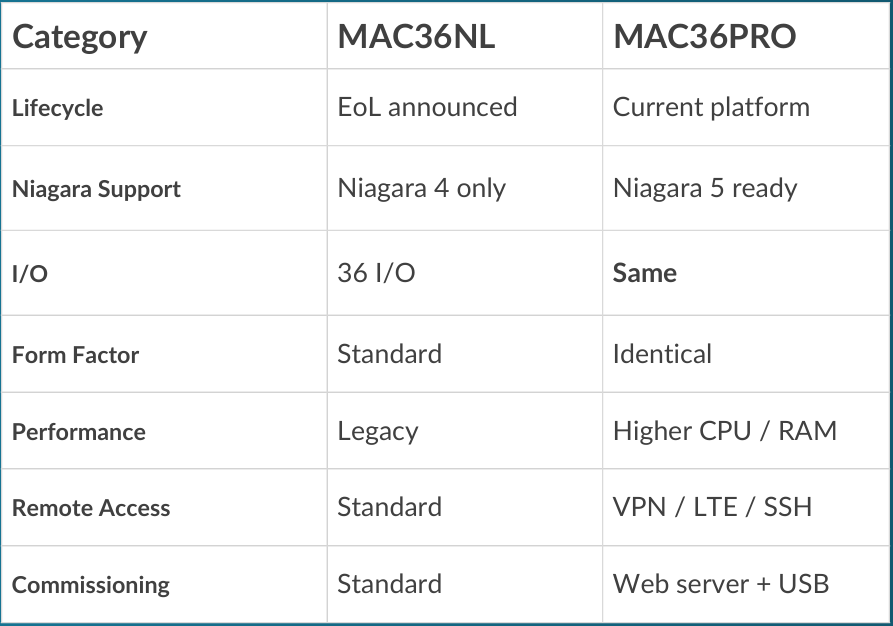
Direct replacement: same I/O, same footprint, no redesign required
Technical Notes:
-
Niagara 5 supported on MAC36PRO only
-
MAC36NL supported on Niagara 4 until 2028
-
Same I/O structure (36 points total)
-
No panel redesign required in most applications
Can software parts be purchased after the LTB period?
Yes, software maintenance agreement (SMA), point packages and driver upgrades will be still available for purchase after LTB.
How long will MAC36NL receive software updates?
Software support will continue until the end of 2028.
Will Niagara 4.15 be supported on MAC36NL?
Niagara 4.15 is the last long term support (LTS) version of Niagara 4 and will be continuously updated for MAC36NL controllers until the end of 2028.
What happens after support ends?
No further Niagara or security updates will be provided after this date.
Will existing installations continue to work after the EoL date?
Yes, existing systems will continue to operate. Software support and updates within the Niagara 4 framework will be provided until 31 December 2028. After this date, systems will continue to function, but no further official software support will be available.
Will MAC36NL support Niagara 5?
No, Niagara 5 will be supported on MAC36PRO. MAC36NL will be updated with the latest revisions of Niagara 4.15 until the end of 2028.
Do I need to redesign the existing installation when replacing MAC36NL with MAC36PRO?
In most cases, no major redesign is needed. MAC36PRO has the same form factor, I/O type and location and the same interfaces. It supports Niagara versions from 4.10 up to the latest 4.15. However, the complete project should still be checked for application-specific requirements, software versions, drivers, and licensing before replacement.
What are the key benefits of MAC36PRO?
More processing power, more RAM and flash memory, improved hardware, new secure remote access options including LTE & VPN Client support, easier commissioning, and readiness for Niagara 5.
Can I use the license migration when upgrading a site from Niagara 4 to Niagara 5?
Yes. License transfer from MAC36NL to MAC36PRO provides a migration path for sites that intend to move to Niagara 5. The typical migration sequence is:
1. Transfer the eligible MAC36NL license to MAC36PRO.
2. Replace the MAC36NL controller with MAC36PRO.
3. Upgrade the controller/application from Niagara
4 to Niagara 5, where applicable.
More details about the Niagara 5 migration process will be available upon the official release of Niagara 5 support in 2027.
Paul Martin
Technical Lead
If you need more help:
Then why not contact our sales or support team.

sales@forestrock.co.uk or support@forestrock.co.ukOther Resources & Customer Survey:
Other Resources & Customer Survey:
💬 Don't miss out! Follow the Forest Rock News channel on WhatsApp Click Here!
💬 We’d also love your feedback! Please take a moment to complete our quick Customer Survey
It only takes a minute and helps us serve you better!

IoT Devices for BMS, Automation & Smart Connectivity | Forest Rock