

General Information
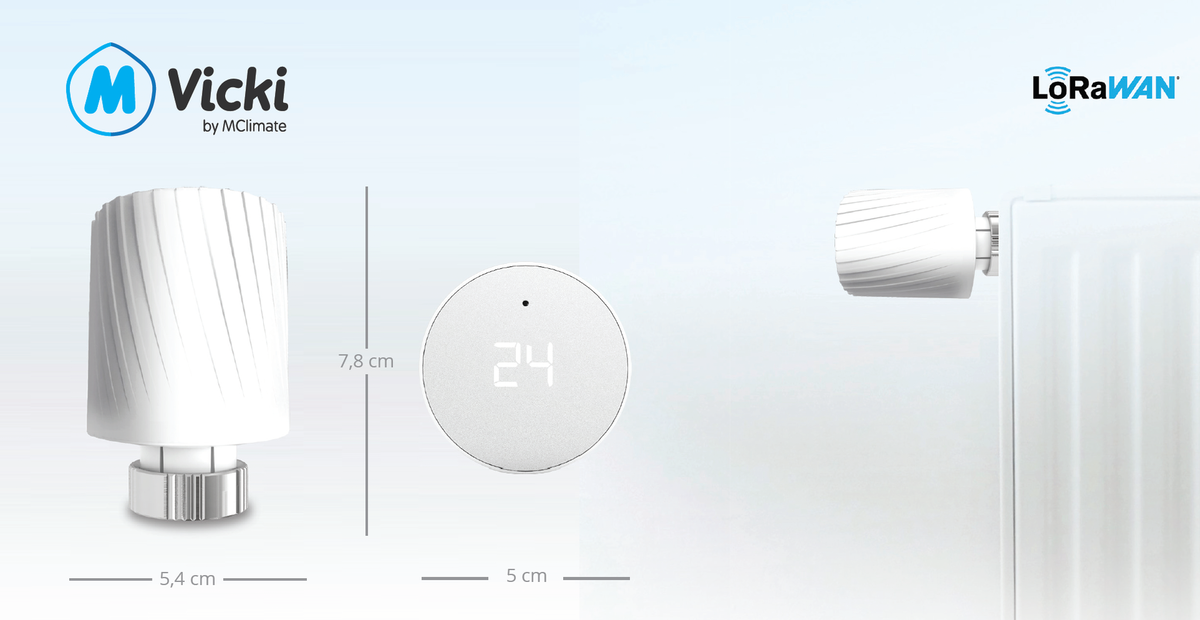
Vicki LoRaWAN® Smart Radiator Thermostat is an intelligent thermostatic radiator valve (TRV) designed for retrofit installation on existing radiator valves, providing both local and remote heating control. Unlike traditional smart TRVs that only monitor temperature, Vicki enables direct adjustment of radiator output, allowing building operators to optimise comfort, improve energy efficiency, and reduce heating costs.
Designed for commercial, residential, and public-sector buildings, Vicki integrates seamlessly with a wide range of heating systems and offers up to 99% compatibility with existing thermostatic radiator valves, simplifying installation and minimising disruption.
Key features include:
-
Remote radiator temperature control via the LoRaWAN® network.
-
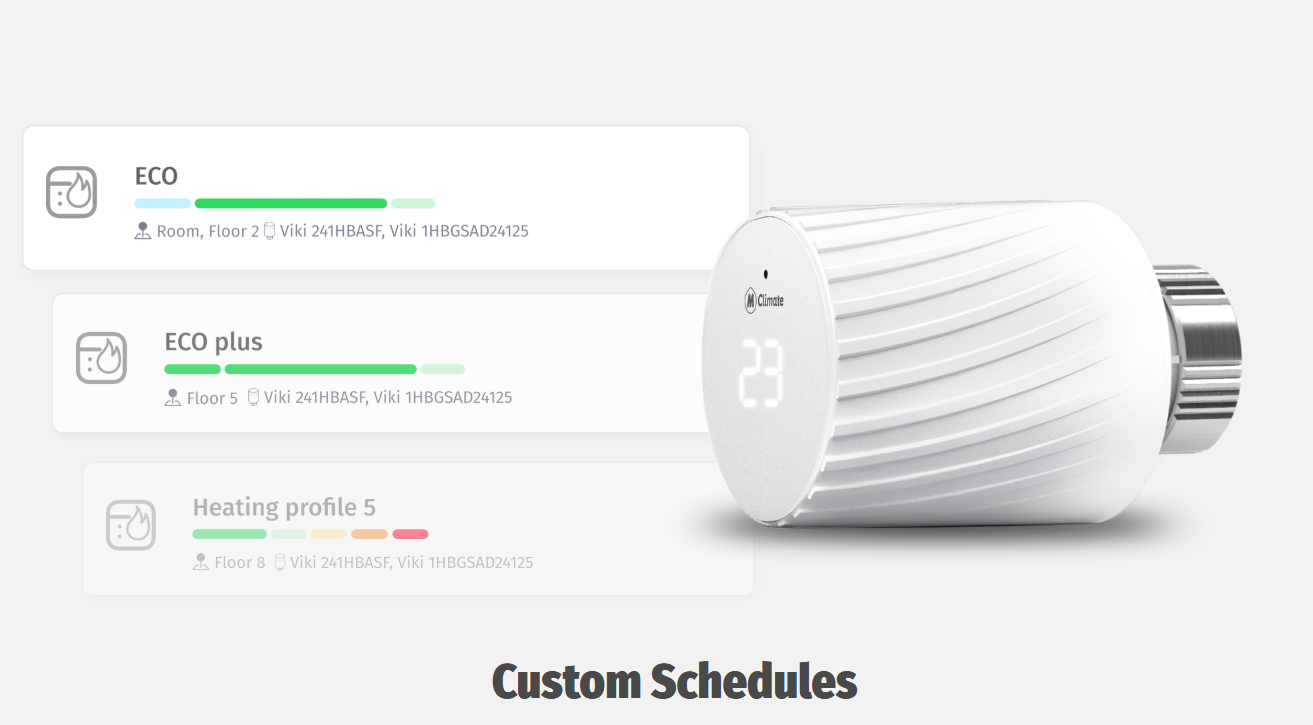
Local adjustment of target temperature using the rotating outer control ring.
-
On-device display showing the current target temperature.
-
Continuous monitoring of room temperature and humidity.
-
Data-driven insights to support energy optimisation and carbon reduction initiatives.
-
Suitable for retrofitting existing heating installations with minimal modification.
By combining intelligent control, environmental monitoring, and advanced analytics, Vicki helps facility managers and building owners reduce energy consumption while maintaining occupant comfort.
Hydronic Balancing
|
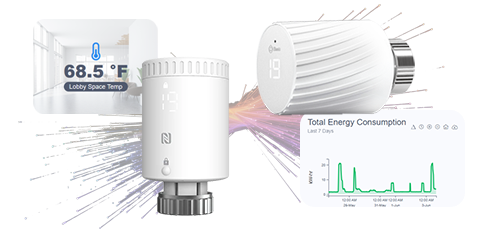
Vicki LoRaWAN® Smart Radiator Thermostat is capable of performing automatic adaptive hydronic balancing on an unbalanced heating system. |
|---|
|
Get comprehensive information about your heating usage, temperature changes, and humidity levels to optimise your energy cost.
|
|
|---|
|
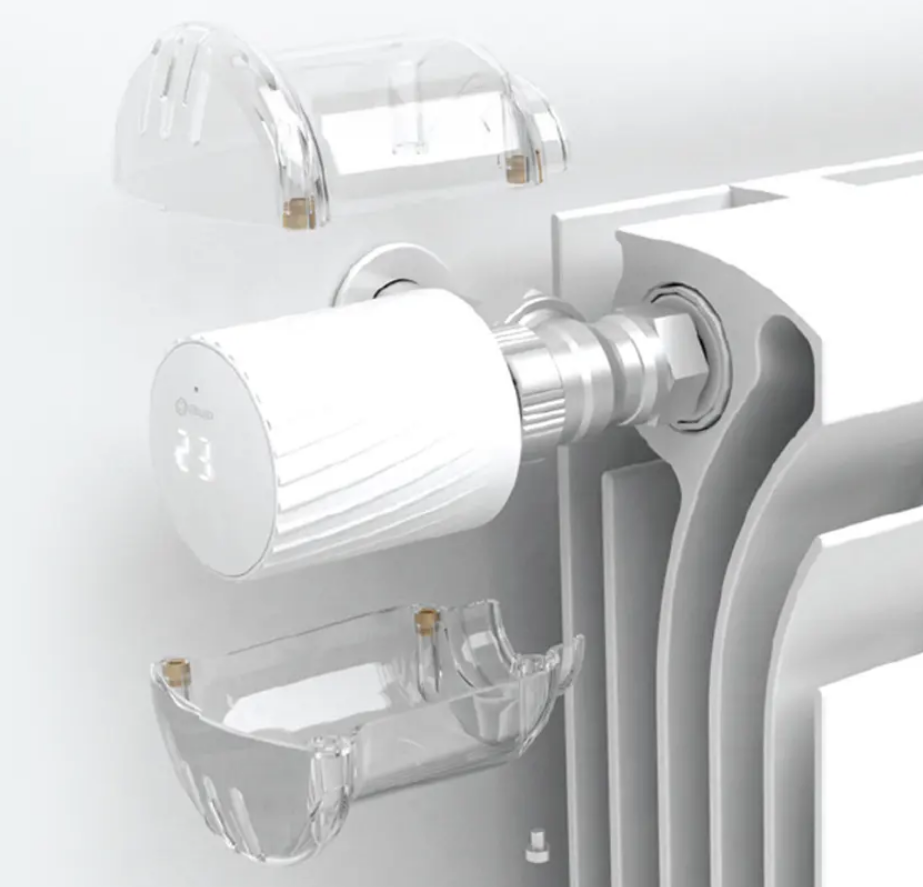
Protect your Vicki
From tampering, vandalism and theft with a robust anti-vandal cover.
|
|---|
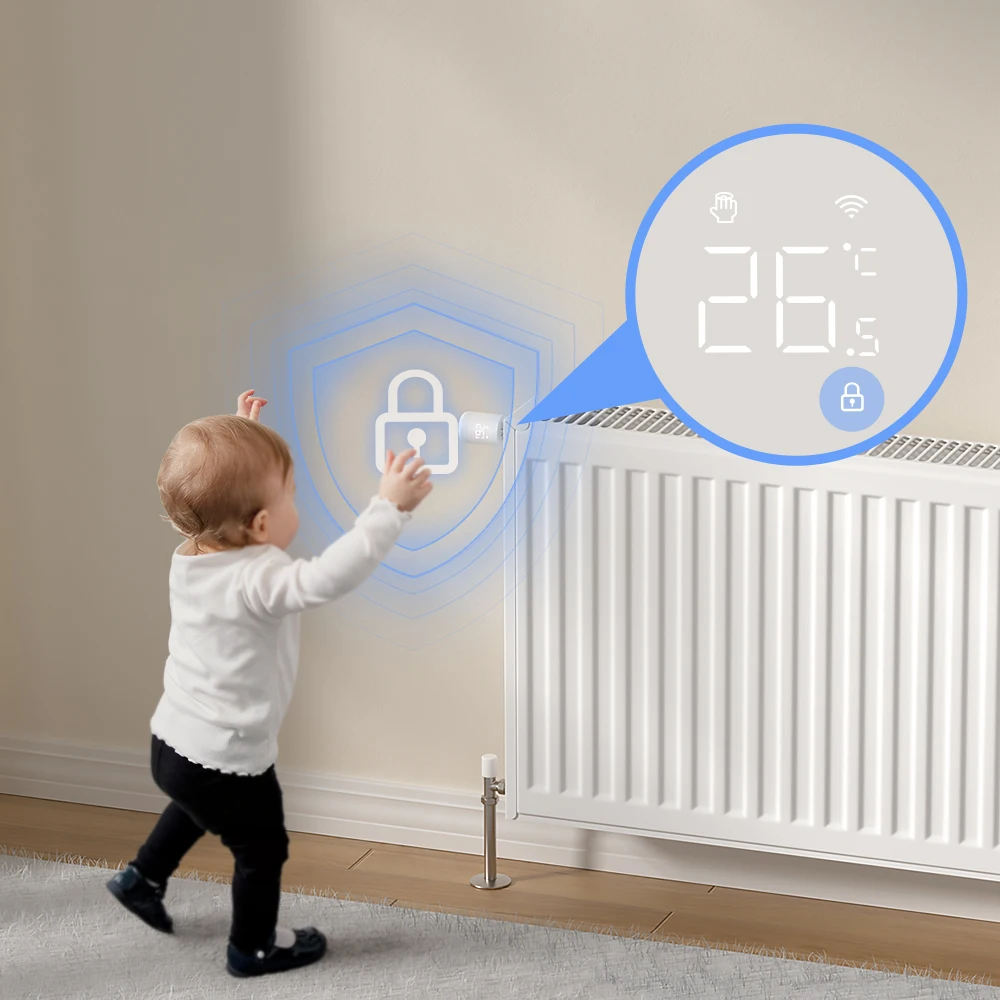
Child lock
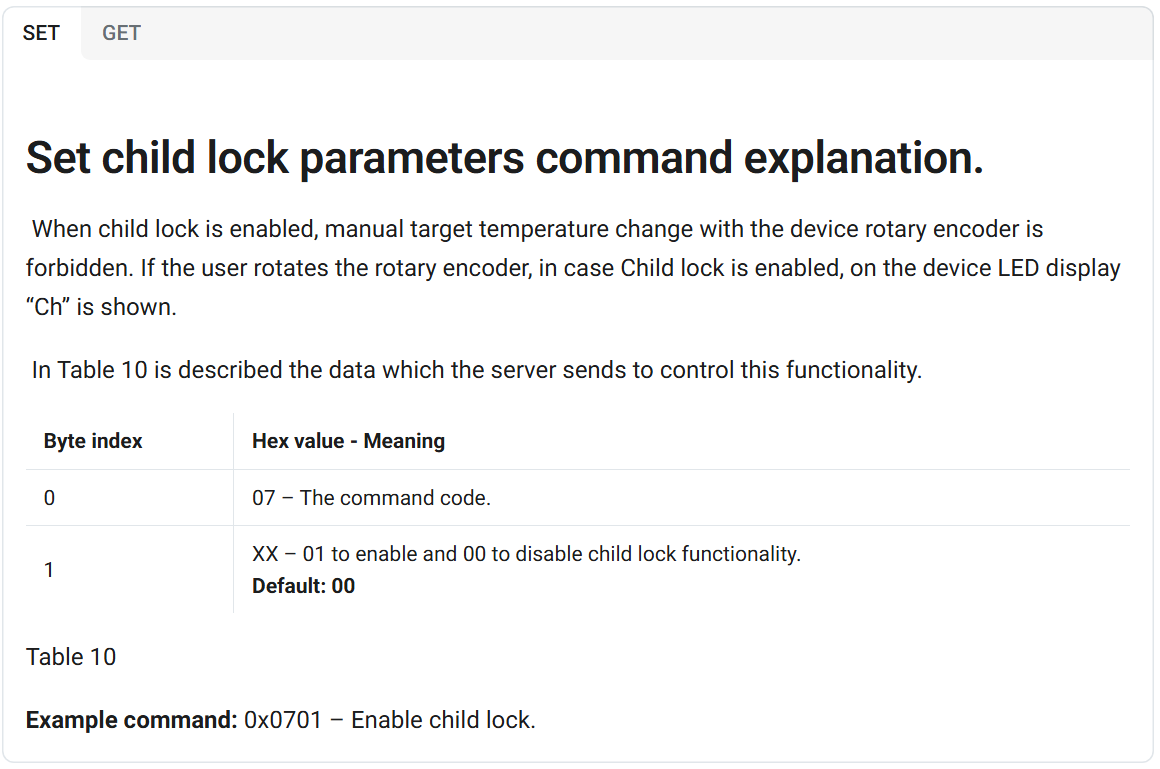
Set child lock parameters command explanation.
When child lock is enabled, manual target temperature change with the device rotary encoder is forbidden.
Table 10 describes the data sent by the server to control this functionality. |
|
|---|
Enable/Disable Child lock - Old Way
Enable/Disable Child lock - New Way

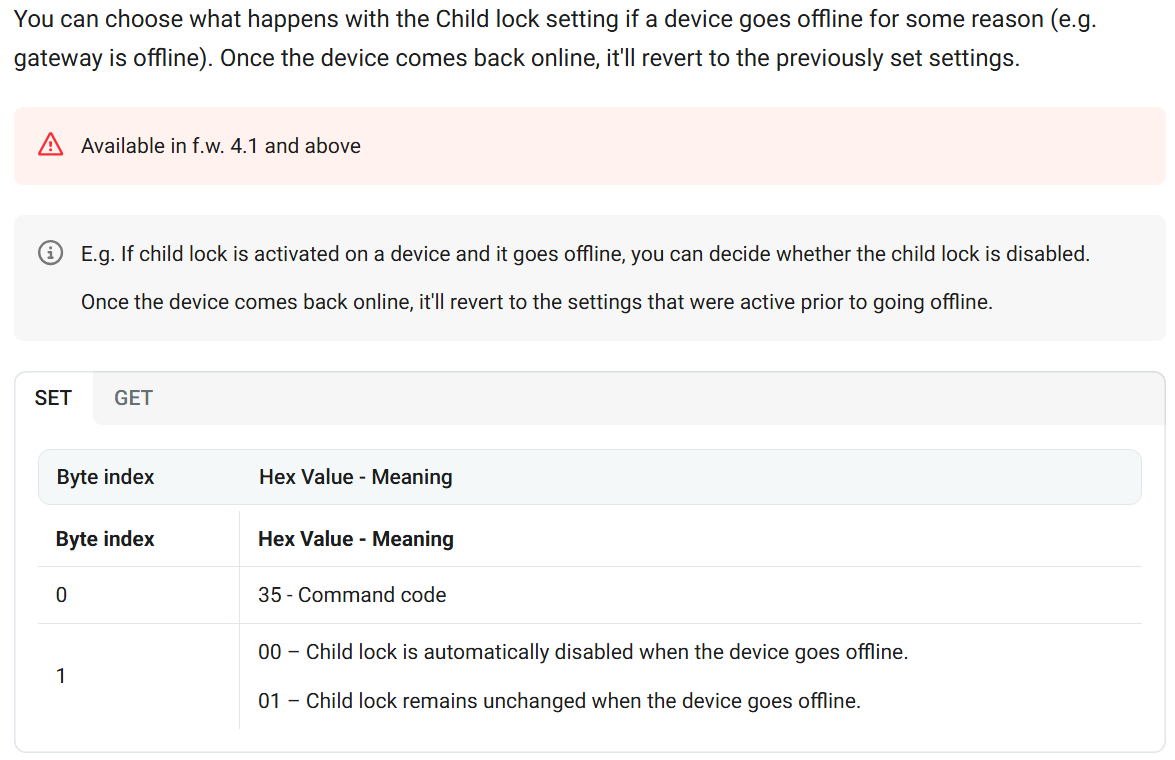
Child Lock Behaviour When the Device Goes Offline
This setting determines how the Child Lock function behaves if the device loses connection, for example when the gateway is offline. You can choose the action to be taken while the device is disconnected. Once communication is restored and the device comes back online, the Child Lock setting will automatically return to its previously configured state.
MClimate do actually provide a Downlink Encoder:
https://docs.mclimate.eu/mclimate-lorawan-devices/devices/mclimate-vicki-lorawan/decoding-and-bacnet-object-mapping/downlink-encoder
However if your pairing with one of our Wattsense gateways:
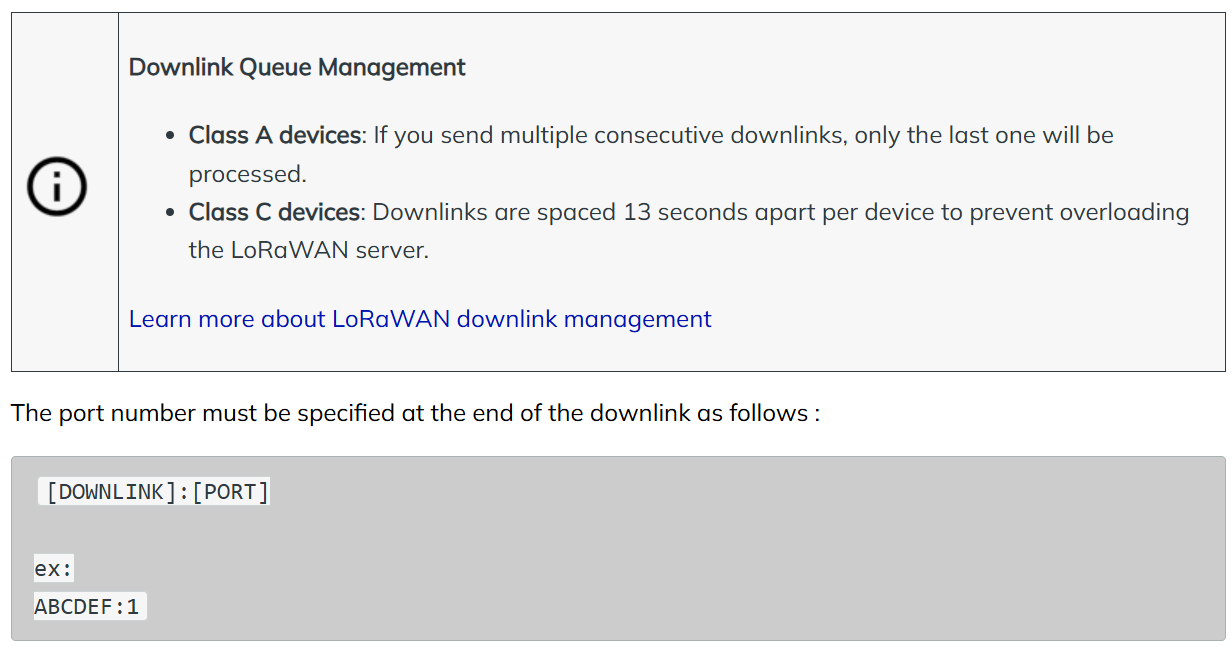
How can I send a LoRaWAN downlink?

Step 1
Go in your equipment properties (Configuration Tab / Equipment / Properties)
In the selected properties, be sure that you've checked the one called Encoded downlink message

Step 2
Now that all the requirements are completed, you can send the downlink. Go to Live data and click on Set a value
Step 3
-
Fill this blank with the value of your downlink. Downlink specifications are explained in sensor manufacturer documentation.
-
Once you click on Save the downlink will be sent to the sensor.
Please contact us if you need any additional information: Wattsense Support
More Info That May Help You
Is my TRV compatible with Vicki
Vicki has a M30x1.5 fitting, thus it should be compatible with most such TRVs. However, in case you are unsure, or using a different fitting size you can doublecheck via our TRV Compatibility tool.
In case you still can not determine if Vicki is compatible with your heating system contact us at lorawan-support@mclimate.eu
Vicki displays a strange symbol after pressing the button on the back
8, 8о, 88, 77, 55 and so on (basically all numbers outside of the 5-30 temperature range) are codes for functional tests performed on the factory floor. If you have pressed the button on the back you might have ended up with one of the aforementioned displayed.
In order to take the device out of testing mode and into normal operation mode you need to do the following: Press the button on the back - the indicator starts showing "o8" Rotate the device - changes to "o" Mount the device and wait for calibration - it’ll show "77" Demount and press the button on the back - you’ll see "HI"
Vicki can not be reset in any way by the button on the back and pressing it will neither reset it to factory default nor reboot it. DO NOT PRESS the button as it is not intended for normal operation mode.
You can refer to the linked video to see the whole procedure. https://www.youtube.com/shorts/jpvSV9T_vkk
How to power/start MClimate Devices with a solar panel
MClimate devices with a solar panel like the Wireless Thermostat, CO2 Display Lite or the HT Lite come without batteries (or can't use any at all). Their internal supercapacitor is pre-charged and you should be able to power them right away. Look in the manual of the specific product for the location of button, either on the side or on the back, pressing it will activate the device.
What Fport are used by MClimate device
All Mclimate devices transmit their uplinks on Fport 2.
You can send downlinks on any of the following ports: 1, 2, 4-223
What is the hole on top of Vicki for
It is not a reset, this is where the H&T sensor's location. The opening is required to obtain valid readings.
This is not a reset button hole, there is no button there to press. Do not try to reset the device using a pin and pressing in the hole. THIS WILL DAMAGE THE DEVICE.
How many Vickis can be controlled externally
You can control as many Vickis as you like with an external thermostat, in a addition you can take temperature reading externally and forward it to the Vickis. Take a look at the following article to gain insights on how to set up External control and measurement via Enterprise: https://docs.mclimate.eu/mclimate-enterprise/advanced-features-and-use-cases/vicki-external-temperature-control
Can the FCT control a split system
The Fan Coil Thermostat is not compatible with AC Split systems. It is designed for Fan Coil Unit (FCU) system control. If you need to control a split system, we recommend the MClimate Melissa: https://mclimate.eu/products/melissa-smart-wi-fi-a-c-controller
Vicki US915 and FCC compliance
MClimate devices including Vicki are fully compatible with the LoRaWAN 1.0.3 specification. This includes the US915 band.
Vicki is FCC certified with the rest of the devices currently undergoing the certification process.
What is the stroke/step of Vicki
According to the datasheet Vicki has a step of 0.00208mm. This is the linear movement of the piston related to a single step rotation of the motor. However, there is a scaling factor of 4 that needs to be applied for practical measurements.
For example, a motor position of 500 steps would mean: 500 x 0.00208 x 4 = 4.16mm. This is how much the piston will extent, pushing the TRV pin, assuming that it has calibrated to 500 steps motor range.
Vicki displays HI but nothing happens
At this point Vicki should have attempted to connect to the LoRaWAN network, check your gateway/LNS for a join request/accept.
Make sure you have properly installed the Vicki head on its backplate (that has been properly fitted to a valve beforehand). If the aforementioned are in order Vicki should start calibrating at this point and enter normal operation mode within a minute or two after calibration has been finished. Refer to the link below for the proper installation procedure:
https://www.youtube.com/watch?v=4z_WnS4CDCY
Can I turn the display of Vicki off
This is not possible, a physical interaction with the crown will always results in the display lighting up and showing the state of the device.
In case you want to limit the information your tenants are seeing, for example if the Vicki is controlled fully remotely you could enable the Child Lock functionality, which will result the "Ch" message being displayed only. Learn more about the functionality at the link.
How is Vicki controlling the temperature
If you are using Firmware Version ≥4.3 and up Vickis is using a PI algorithm to dynamically adjust the TRV opening in order to best reach and maintain the desired Target temperature. You can learn more about the algorithm at the link.
What is the operating voltage of Vicki and when should I change batteries
Vicki works within the 2.7 - 3.6 VDC range.
We recommend scheduling a battery replacement once they drop below 2.8VDC to make sure you have no interruption in service, as once the level gets near 2.7VDC there might be insufficient power/force to close some valves.
What are the Motor position and Motor Range of Vicki
When Vicki is installed it calibrates to the specific TRV it is mounted on. It determines the fully open and fully closed state of the valve and maps them to two parameter values:
Motor Range - corresponds to the fully closed state (determined via the calibration process), depending on the specific TRV this ranges between about 350 and 600
Motor Position - this is the current position of the Vicki's motor, that corresponds to what extend the valve has been closed.
Motor position = 0 - the valve is FULLY OPEN
Motor Position = Motor Range - the valve is FULLY CLOSED
Vicki is stuck in the closed state
Sometimes TRVs get stuck (especially ones that have been in use for some time and have had a long time off of the heating season). Check the motor range of the Vicki, if it is calibrated well (value between 350 and 600) and the motor position is not at Motor range value (fully closed) your TRV should be at least partially open. If this is not the case the TRV itself might be stuck (from a mechanical perspective) and you will need to fix it (for example the pin could be corroded).
My Solar Powered Device goes offline
MClimate devices using a solar panel (CO2 Display, Wireless Thermostat, CO2/HT Display Lite) can last a long time using energy harvesting (depending on the luminosity this could be indefinite), however in dim environments their operational time is limited. Move them to an area with greater luminosity. If this is not possible, make sure to top them up via the USB port and consider inserting batteries (in the case of the CO2 Display and Wireless Thermostat).
Where are my DevEUI, AppEUI, App Key?
These are sent automatically to your email inbox when you order from the MClimate store. You should receive an email from fulfilment@mclimate.eu with a CSV file, containing the information.
If you have purchased a device from one of our distributors, please contact them directly.
In case you are unable to obtain them, still, contact us at lorawan-support@mclimate.eu
Do I need an adapter to install Vicki on my TRV?
Vicki can directly be installed on M30x1.5 TRV (in cases with a very short thread area this still might not be possible). If you are unsure of your RTVs dimensions, check our compatibility tool.
If still in doubt mail us at lorawan-support@mclimate.eu
Is my FCU compatible with the MClimate FCT
We recommend you take a look at the FCT Documentation page on the Applications it supports.
If you are still not certain whether it will work with your FCU, best contact us at lorawan-support@mclimate.eu
Wireless Thermostat / CO2 Display battery indicator does not fill
-
Solar power - the indicator level will depend on the luminosity, it could fill up or go down depending on how much light is hitting the solar panel
-
Batteries - depending on the type of batteries used the indicator level will increase to a set point (depending on the specific battery voltage) and decrease slowly with time.
-
USB - you will see a lightning symbol, indicating the supercapacitor (this is what actually powers the device) is charging and given enough time the indicator will fill up entirely.
If you need more help:
Then why not contact our sales or support team.

sales@forestrock.co.uk or support@forestrock.co.uk
Other Resources & Customer Survey:
💬 Don't miss out! Follow the Forest Rock News channel on WhatsApp Click Here!
💬 We’d also love your feedback! Please take a moment to complete our quick Customer Survey
It only takes a minute and helps us serve you better!

IoT Devices for BMS, Automation & Smart Connectivity | Forest Rock