

Most Commonly Asked Questions
Q: Will it run in IQ Vision?
A: Yes these modules run in all Niagara4 platforms rev xx to rev xx
Q: Are all the advanced logic modules developed?
A: No the current revision is the iQ2 functions 1-26 and Logics 1-8. The extended modules are under development. If you require a specific module please get in touch and we will increase its priority in the Development pipeline
Q: Are there knobs and switches?
A: Yes. We have also made some Primary modules labelled knob Sensor Switch and Dig-in so the design can be made more designer friendly than using Numerics, in a sea of Numerics.
Q: Can I move the licence?
A: The host ID can be changed and a new License Issued to run on a new controller. This a maximum of 1 relicense per Host iD. Any more Host revisions will incur a relicense cost.
Q: Will the modules be updated with the N4 platform revisions?
A: Like with the N4 platform itself. If the modules need updating to the latest version of Niagara the Maintenance period should be valid to the version required. This is a simple email update request from Freebird where new modules will be released. The Advanced Logic Maintenance should be kept up to date to encourage the continued up-keep of these modules with the N4 Platform
Q: How much is the annual maintenance?
A: Check with sales@forestrock.co.uk as partner discounts may apply to the standard pricing.
Q: What is Maintenance?
A: Maintenance store item will facilitate (like Niagara Maintenance) new features (components, jobs etc) as well as improvements to existing components. When the license “Expires” modules that have been released before the expiry shall continue to run, but any released after the expiry will not run.
-
To extend the maintenance, it will mean a new license is issued and needs installing on the Host machine> Freebird License Service.
-
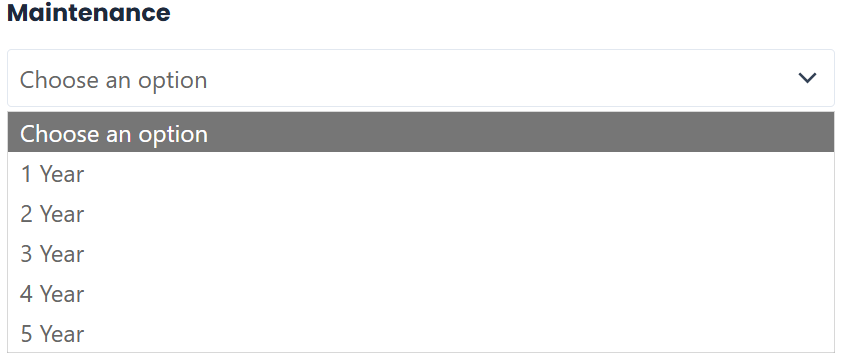
Maintenance (Per Host iD) can be purchased as follows:
Q: Freebird Utility: Advanced Scheduler What is it?
A: The Freebird advanced scheduler allows a user to define a master schedule, add the Trend ord for the Subordinate Schedule Export and control that subordinate schedule (or multiple schedules) under the dictates of the Master schedule Exception list. It can be individually exported or the master can initiate the export, sending its exceptions direct to the controller. If there is need to override the master exception, then a new exception can be written to the excepted schedules exception list at a higher priority.
To better aid configuration a user can export a list of schedules from the supervisor and copy them all into one comma separated list. All the schedules in the list will receive the exported exceptions from the master.
-
Advanced Scheduler (Master Event Schedule) – Ready & usable
-
Alarmer Utility – In progress (not fully ready yet)
-
Drop-down Menu Utility – Planned for future
-
Scraper Utility – Planned for future
If you need more help:
Then why not contact our sales or support team.

sales@forestrock.co.uk or support@forestrock.co.ukOther Resources & Customer Survey:
Other Resources & Customer Survey:
💬 Don't miss out! Follow the Forest Rock News channel on WhatsApp Click Here!
💬 We’d also love your feedback! Please take a moment to complete our quick Customer Survey
It only takes a minute and helps us serve you better!

IoT Devices for BMS, Automation & Smart Connectivity | Forest Rock