

So You Need Help with Energy Manager?

If you are having an issue with the N4 Energy Manager, your first instinct may be to email our technical support team. You are always welcome to contact us at:
However, before you reach out, there is one quick step that can save you a lot of time.
✔️ First Check Which Version You Are Running
Most issues we see come from customers running an older version of the Energy Manager.
In many cases, simply updating to the latest release will resolve bugs or unexpected behaviour.
You can check for updated versions on our downloads site:
🔗 https://downloads.forestrock.co.uk/
Inside the Energy Manager section you will find:
-
User Guides
-
Manuals
-
Past release files where applicable
-
A folder named Latest N4 Energy Manager Files
Why Is the “Latest N4 Energy Manager Files” Folder Empty?
You may see an empty folder that only displays a placeholder image.
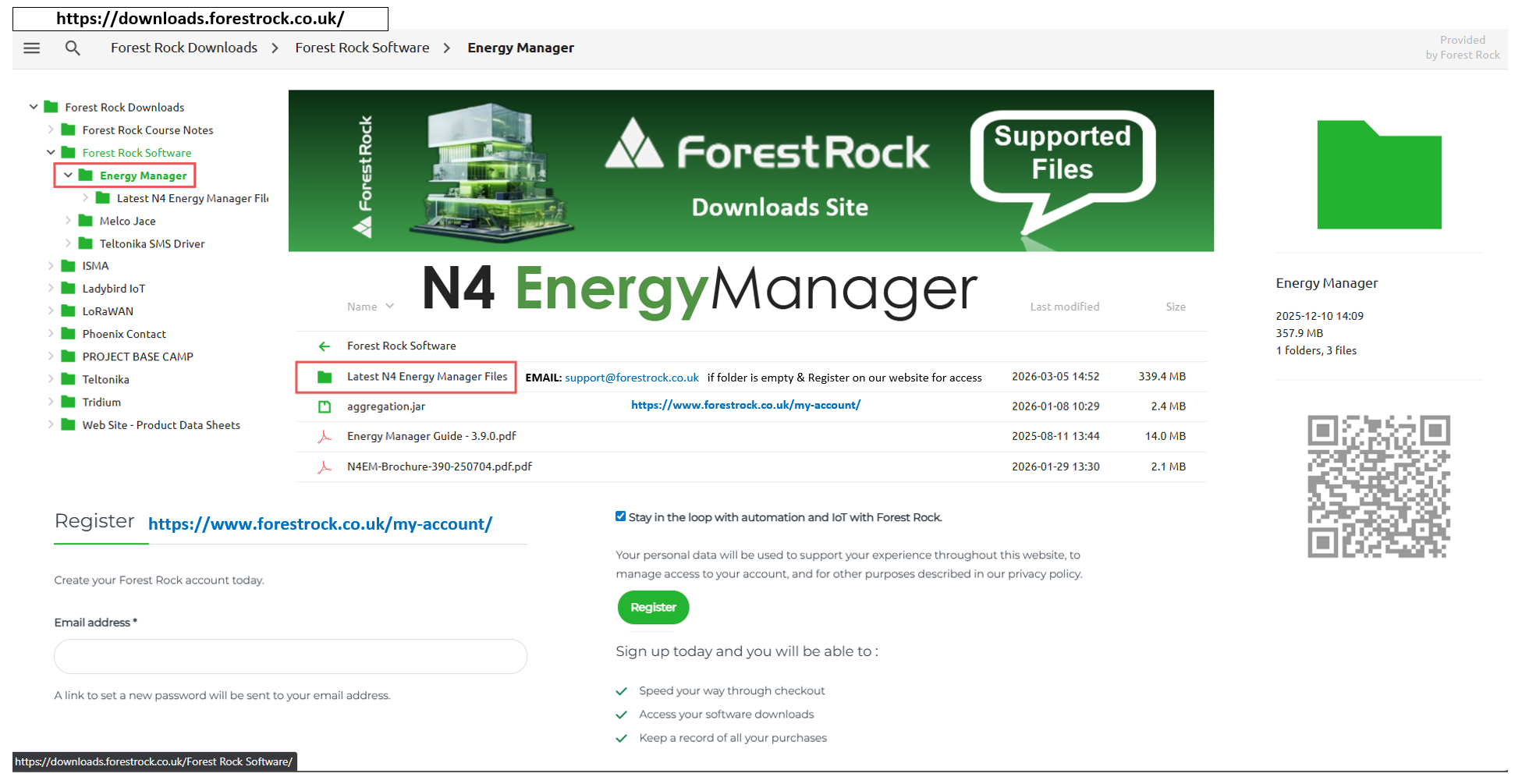
This is intentional.
New releases are only visible to customers who have registered an account on our website. Registered users are automatically notified as soon as new files become available.
If you have not registered yet, you can create an account here:
🔗 https://www.forestrock.co.uk/my-account/
Once registered, you will have access to:
-
Updated Energy Manager modules
-
Latest documentation
-
Notifications of new releases
What If You Need the Latest Version but Aren’t Registered?
If you did not register at the time of purchase and now need the latest files, the quickest route is to contact the sales team:
Sales can verify your purchase and provide the latest modules straight away.
You can also contact technical support, but please note:
-
Support does not have visibility of customer purchase history
-
We will need proof of purchase before releasing files
-
This makes the process slower than going through sales
Share Your Solutions & Provide Feedback
Once your issue has been resolved, either with our help or through your own troubleshooting, it’s always valuable to share your findings. Providing feedback on what worked helps us build a stronger Knowledgebase and support the wider community. By contributing successful fixes and insights, you enable others to solve similar problems faster and more efficiently.
Together, we can create a resource that benefits everyone.
Other Resources & Customer Survey:
💬 Don't miss out! Follow the Forest Rock News channel on WhatsApp Click Here!
💬 We’d also love your feedback! Please take a moment to complete our quick Customer Survey
It only takes a minute and helps us serve you better!

IoT Devices for BMS, Automation & Smart Connectivity | Forest Rock